Sell and support on WhatsApp, with your whole team
One shared inbox for WhatsApp, Instagram and Messenger, with broadcasts, drip marketing, chatbots, AI agents and a CRM, on the official WhatsApp Business Platform. Built in India for Indian businesses, with plans in rupees.
14-day free trial, no card needed. Plans are in rupees.
Sample data · illustration of the team inbox, not live numbers
Examples of activity in the product: payments received, campaigns delivered, chats handed to a teammate, new chats from ads.
0% markup on Meta’s rates
Meta bills WhatsApp message charges to your own WhatsApp Business Account at its published rates, and we add no margin, on every plan. Our plan is a flat monthly fee in rupees.
Official Business Platform
Built on Meta’s Cloud API with Embedded Signup. No unofficial tools that get numbers banned.
No caps on automation
Build as many flow steps and triggers as your business needs. Plans differ by volume, not by gates.
Support from real people
Talk to our team on WhatsApp, email or phone, from setup to your first campaign.
One place for every customer conversation
From the first message to the paid order, your team works in one product instead of five.
- CRMThe deal moves on
- Paid orderIn the same chat
Every chat in one shared inbox
Assign chats, leave private notes, reply with saved answers, and see the free-reply window on every conversation.
Learn about team inbox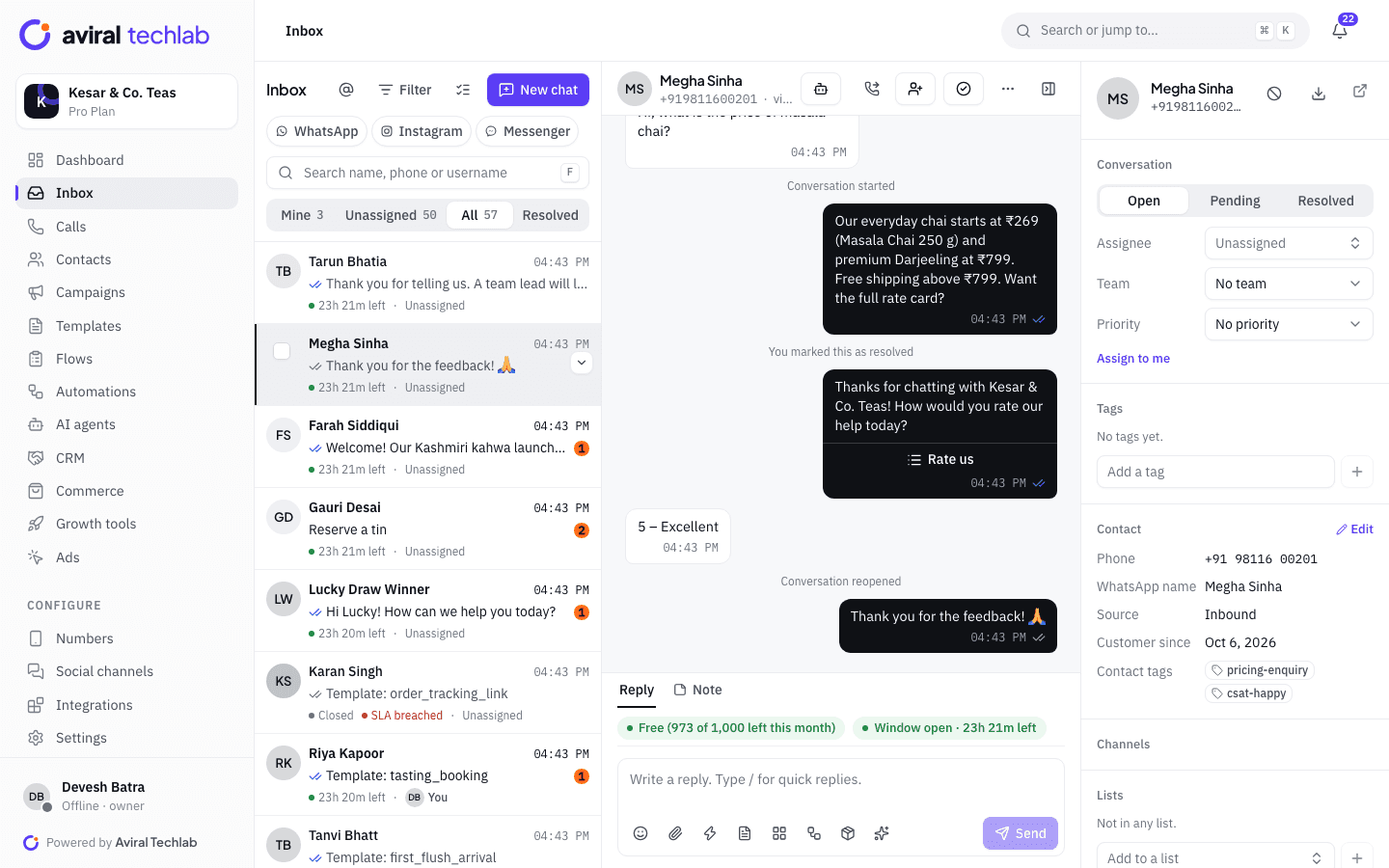
Campaigns and drips
Broadcasts that get replies, not blocks
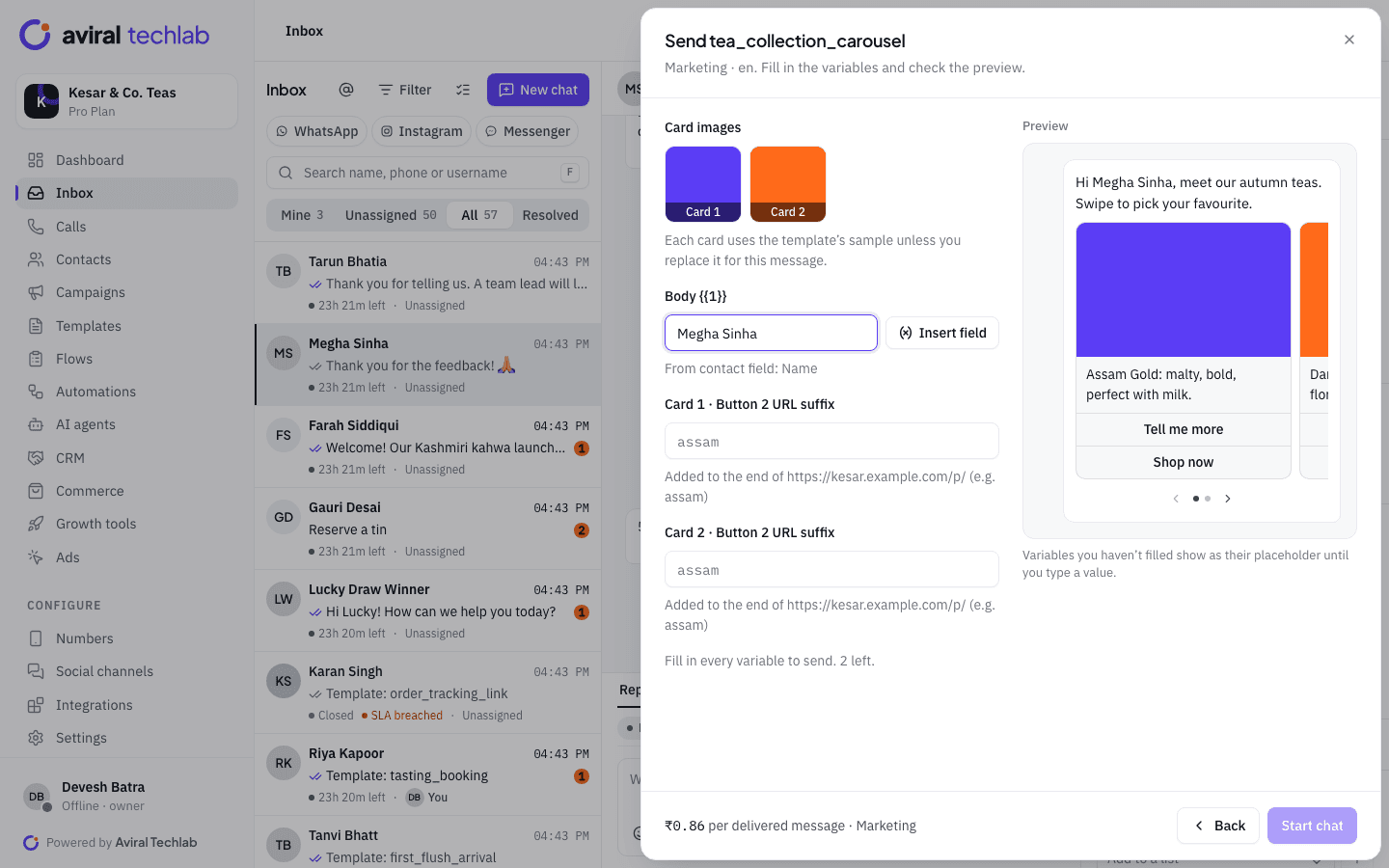
Send approved templates to segments built from tags, lists, past orders or ad source, or straight from a Google Sheet with a template for each tab. Schedule them, test versions, and follow up with drip sequences.
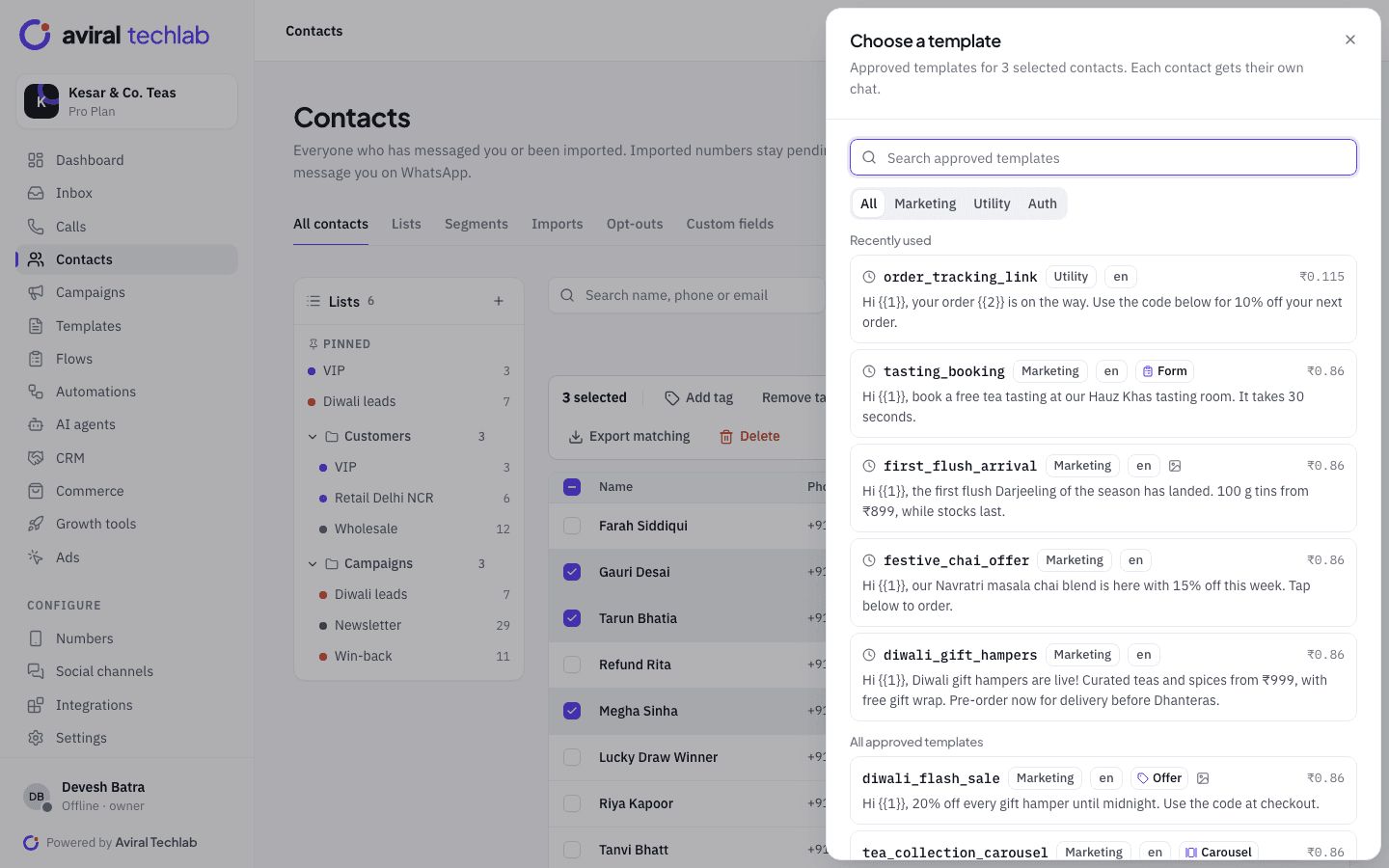
Sample data
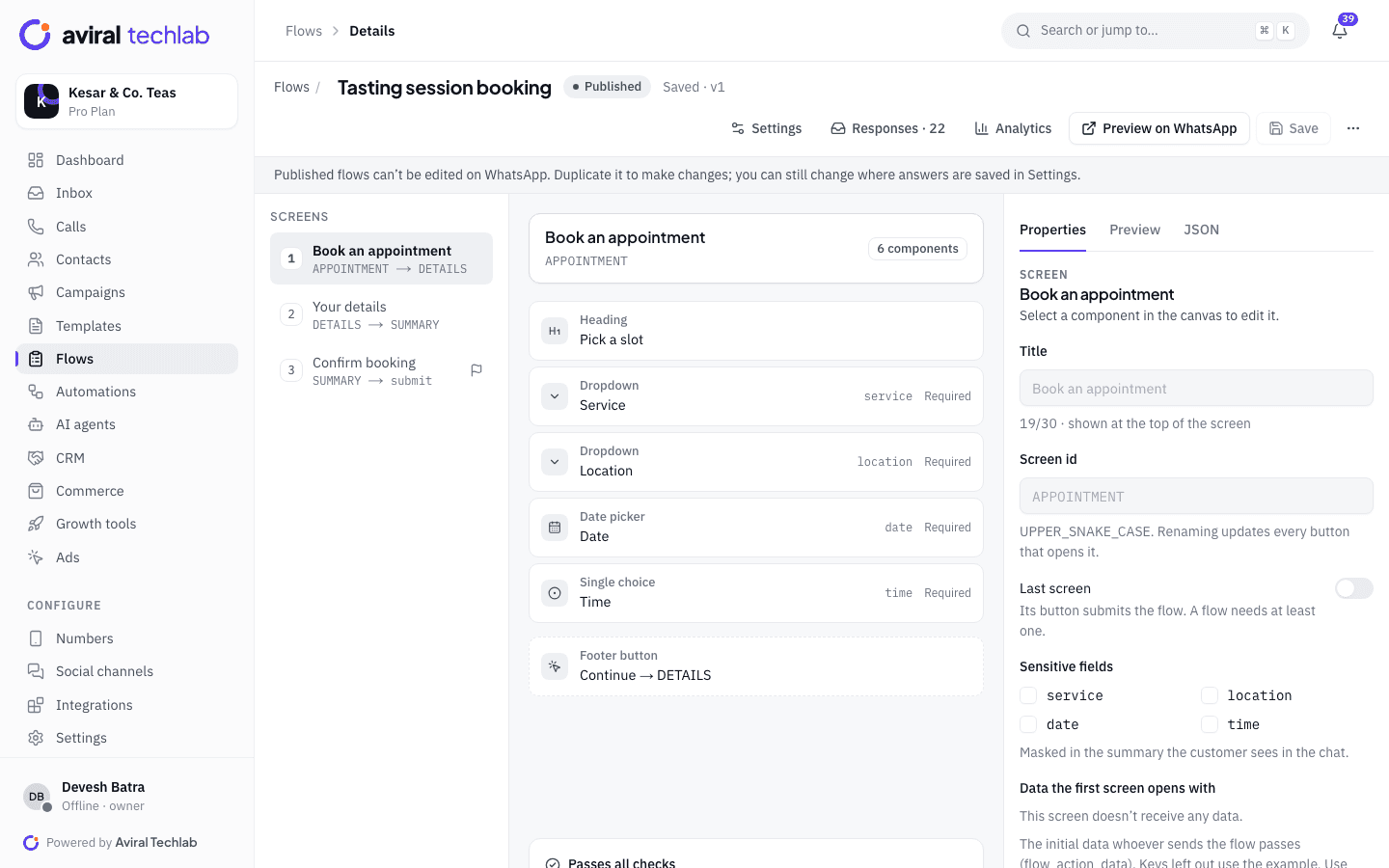
- Google Sheets with several tabs, and a different template per group
- Delivery numbers that add up, with automatic retries for Meta’s per-person limit and a Retry failed button
- Drip sequences with branches, A/B steps, quiet hours in each contact’s time zone and revenue per step
Automation and AI
Answer at 2 am without hiring a night shift
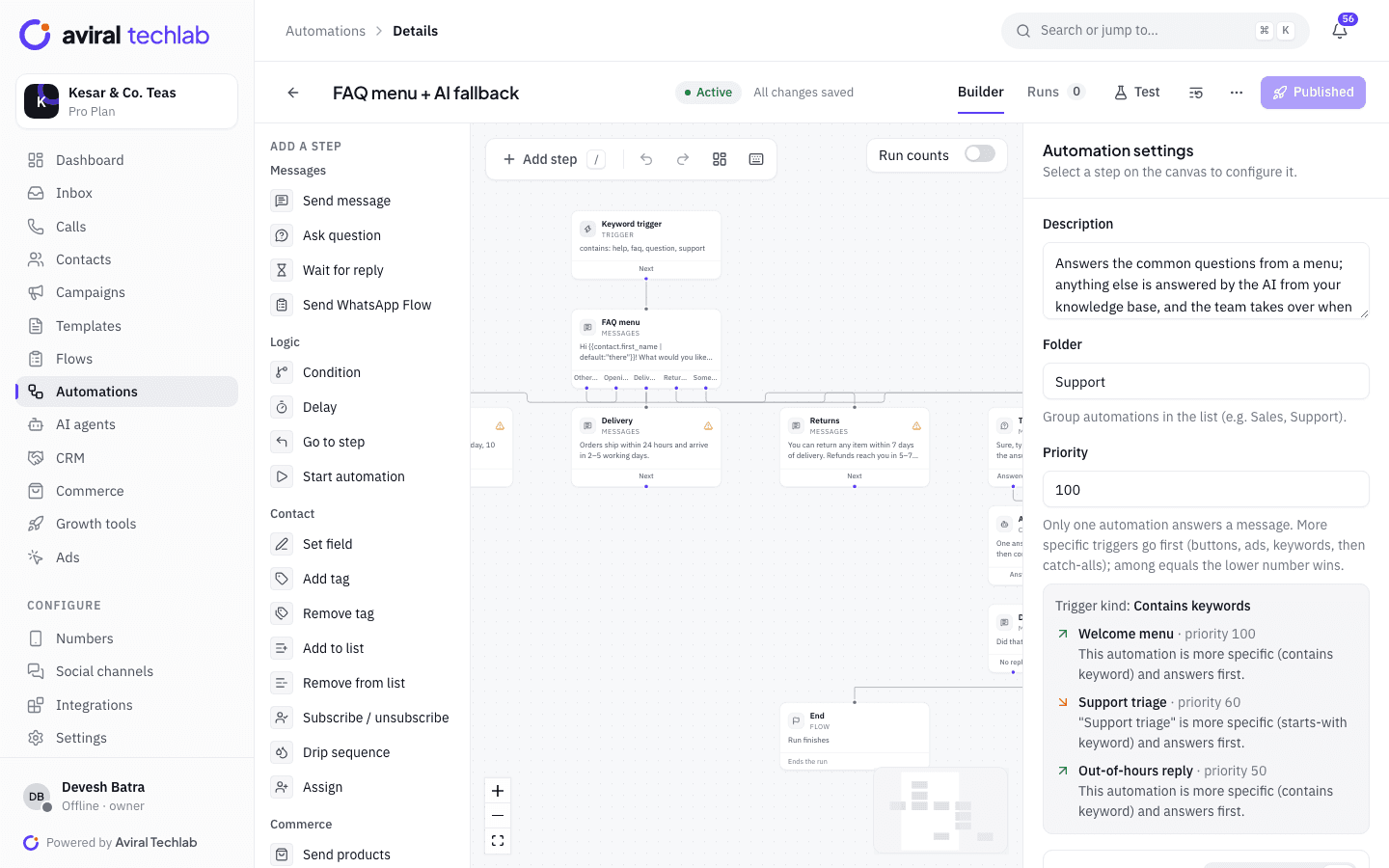
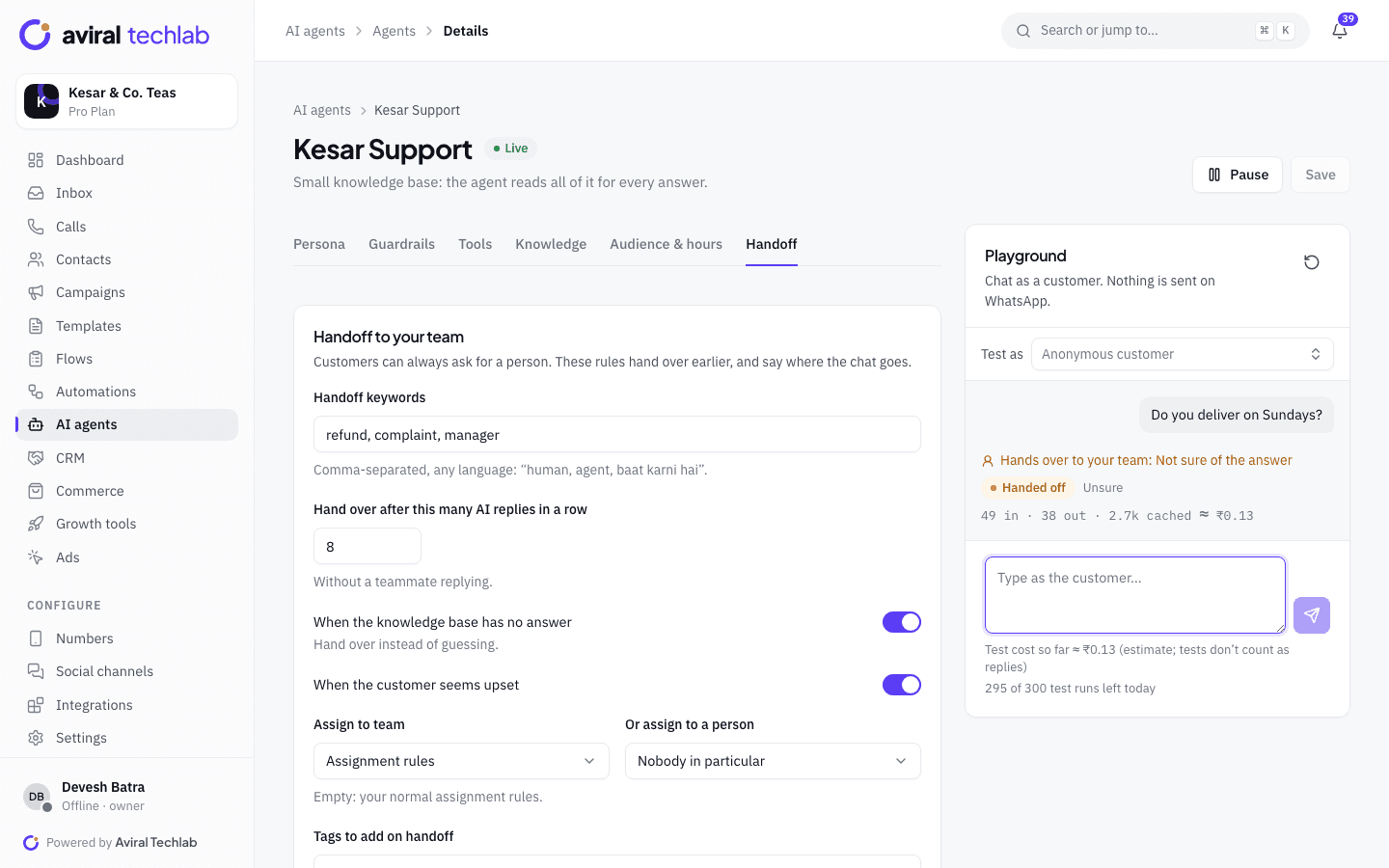
Chatbots handle the common questions, AI agents answer from your own content, and the chat moves to a person the moment it needs one. Give each website its own chat button and its own agent.
- Visual flow builder with a test simulator
- AI agents with a knowledge base, guardrails and human handoff
- A chat button per website, each routed to its own agent or automation
Sales and commerce
From enquiry to paid order in the same chat
Every chat creates or updates a contact. Move leads through your pipeline, keep products and orders together, and send a UPI payment link without leaving the conversation.
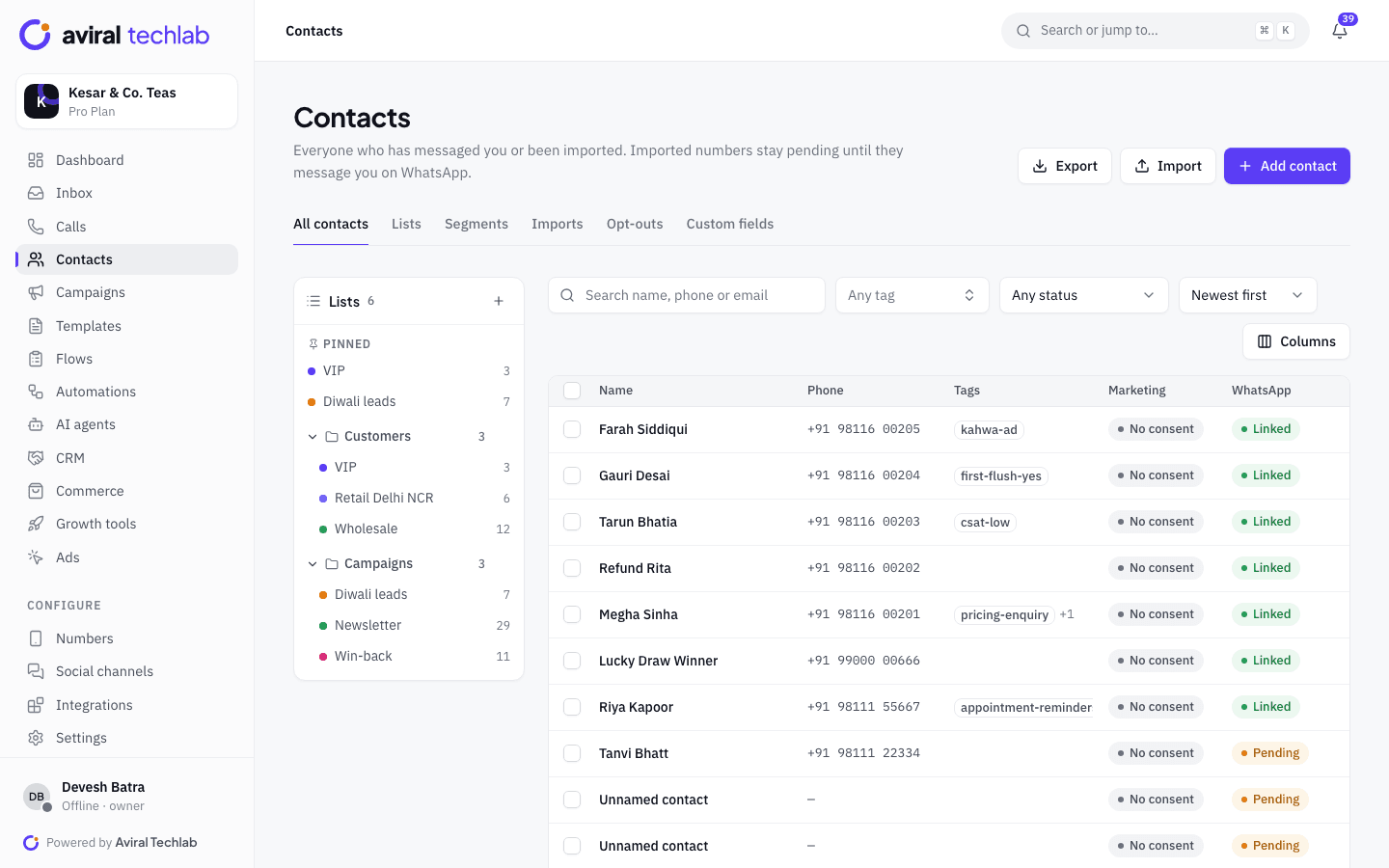
Sample data
- CRM with leads, deals, stages and follow-up reminders
- Products, orders and order updates (sharing the catalog in chats comes after Meta review)
- Payment links through Razorpay, PayU or UPI
- Click-to-WhatsApp ad chats tracked through to revenue
Every channel, on every screen
Your team answers where customers write, and from wherever they happen to be.
WhatsApp, Instagram, Messenger
One inbox for all three, with several numbers and Pages, each chat labelled with its account.Comments after Meta reviewEarly accessiPhone, iPad and Android
Inbox, calls and CRM in your pocket, a tablet layout, foldable support and widgets.Not in the stores yetBrowser nowOn a computer
The web console works in any browser today. The iPad app is coming to the Mac App Store for Apple silicon Macs; Windows is coming soon.Mac App Store and Windows: coming soonYour websites
A chat button per site, with each site’s chats routed to its own agent.No cookies, no API key in the browserMade for how your industry sells
Ready-made journeys for the conversations Indian businesses have every day.
Works with the tools you already use
Orders, leads and invoices flow into WhatsApp automatically. Anything else connects through our REST API and webhooks. n8n works today; Zapier and Make are coming soon.
See all integrations- Shopify
- WooCommerce
- Tally
- IndiaMART
- Razorpay
- WordPress
- Zoho
- HubSpotSoon
- Google Sheets
- ZapierSoon
- MakeSoon
- n8n
Live on WhatsApp the same day
No paperwork with us, no developers needed.
- 1about 5 minutes
Connect your number
Sign in with Facebook, pick or create your WhatsApp Business account and verify your number. It takes about five minutes.
- 2minutes, not days
Bring in your contacts
Import a CSV, sync from Shopify or your CRM, or let every new chat create a contact automatically.
- 3live the same day
Start the conversation
Reply from the team inbox, send your first approved template and switch on a welcome bot.
What’s included that others charge for
Many platforms charge extra for these, or keep them for enterprise deals. Here they come with every plan.
0% markup on Meta’s message rates
On every plan you pay Meta’s own rates for WhatsApp messages. Meta bills your own WhatsApp Business Account directly, and we add no margin. Many platforms add a markup per message, or drop it only on enterprise deals.Every plan, from the first oneAI included in every plan
AI agents answer from your knowledge base and hand over to your team. Starter already includes 1 AI agent and 1,000 AI replies a month.Many platforms meter AI or sell it as an add-onWhatsApp calling on every plan
Answer and place WhatsApp calls from the inbox and the apps, with ring groups for your team. Meta bills call charges to you at its own rates.Many platforms charge extra for calling5 WhatsApp numbers on Starter
Give each branch, brand or team its own number, all in one shared inbox. The numbers are part of the plan price.Many platforms charge for every extra numberCOD confirmation and cart recovery
Cash-on-delivery confirmation, abandoned-cart reminders and order updates come with every plan. WooCommerce and carts started in WhatsApp work today; the Shopify app is coming soon.Many platforms sell these as paid appsCRM pipelines included
Leads, deals and stages, tasks and reminders, next to every chat. No separate CRM subscription to keep in step.Many platforms charge extra for a CRMA reseller and white-label program
Agencies and consultants can offer the platform under their own brand, set their own prices and earn on every client.Plans from ₹1,499 a month
Flat monthly pricing in rupees with GST invoices, AI included. WhatsApp message charges are billed to you directly by Meta, at Meta’s rates, with 0% markup. Start with a 14-day free trial, set up with you.
- Starter
- ₹1,499 /month
- Growth
- ₹3,499 /month
- Pro
- ₹7,999 /month
Frequently asked questions
Do I need a WhatsApp Business API account before signing up?
No. You connect through Meta’s official signup inside the product, which creates or links your WhatsApp Business account. You need a Facebook login and a phone number that can receive an SMS or a call.
Can I keep using the WhatsApp Business app on my phone?
Yes. With coexistence, your existing number keeps working in the WhatsApp Business app while your team uses the shared inbox, campaigns and automation.
How are WhatsApp message charges billed?
Meta charges per delivered template message, by category: marketing, utility or authentication. Replies inside the 24-hour customer service window are free for the first 1,000 a month on each number. Meta bills these charges to you directly, through the payment method on your WhatsApp Business Account, and sends you its invoice. We don’t add a margin.
Will my number get banned for sending broadcasts?
Not if you message people who opted in and follow WhatsApp’s policies. We use the official platform, show your number’s quality rating, and help you send to engaged segments rather than blasting your whole list.
Can it connect to my store, CRM or accounting software?
Yes. There are ready connectors for Shopify (the Shopify app is coming soon), WooCommerce, Tally and IndiaMART, plus a REST API and webhooks. Zoho CRM, Zoho Books, Google Sheets and n8n work too; HubSpot, Zapier and Make are coming soon.
Is there a mobile app?
Yes, in early access. The iPhone and iPad app is in TestFlight and with Apple for review, and the Android app is in closed testing, so neither is in a public store yet. Ask us for access. On a computer, use the web console in your browser; the Mac App Store version is coming soon.
Do Instagram and Messenger work too?
Direct messages on Instagram and Messenger arrive in the same shared inbox as WhatsApp, with each chat labelled by the account it is on. Replying to comments waits for Meta to approve the comment permissions for our app.
Do AI agents cost extra?
No. AI is included in every plan, with a monthly allowance of AI replies that grows with the plan, and you can add more replies when you need them. Agents answer from your own knowledge base and hand over to your team when they are unsure.
How long does setup take?
Most businesses connect their number and send a first message the same day. Template approval by Meta usually takes minutes to a few hours.
Still have a question?
See it working with your own number
Book a 20-minute walkthrough with the Aviral Techlab team. We’ll connect your WhatsApp Business account with you and set up your first automation.