One WhatsApp number, your whole team answering
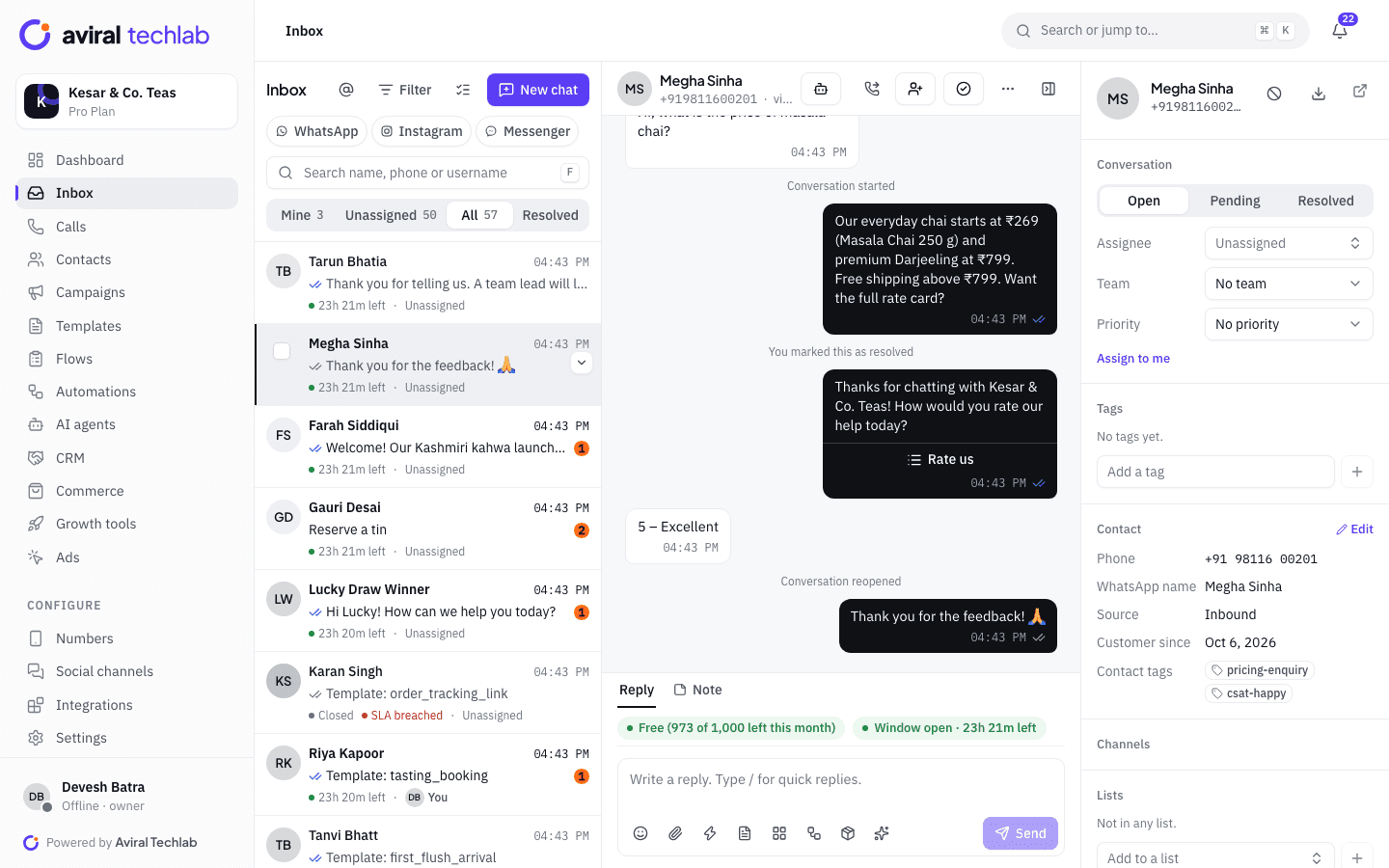
Every customer chat lands in one shared inbox. Assign it to the right person, see who is replying, and never send two answers to the same question.
Many agents, one number
Everyone works from the same number, in the browser or on their phone, with their own login.
Automatic assignment
Rules route new chats by keyword, tag, number or new contact, to a team or a person.
SLAs you can see
Each chat shows the time left to reply and flags a breach before it happens.
Built for teams that live on WhatsApp
The inbox shows what matters in the moment: who the customer is, what they asked before, and how long you have left to reply for free.
Assignment and routing
The right chat reaches the right person
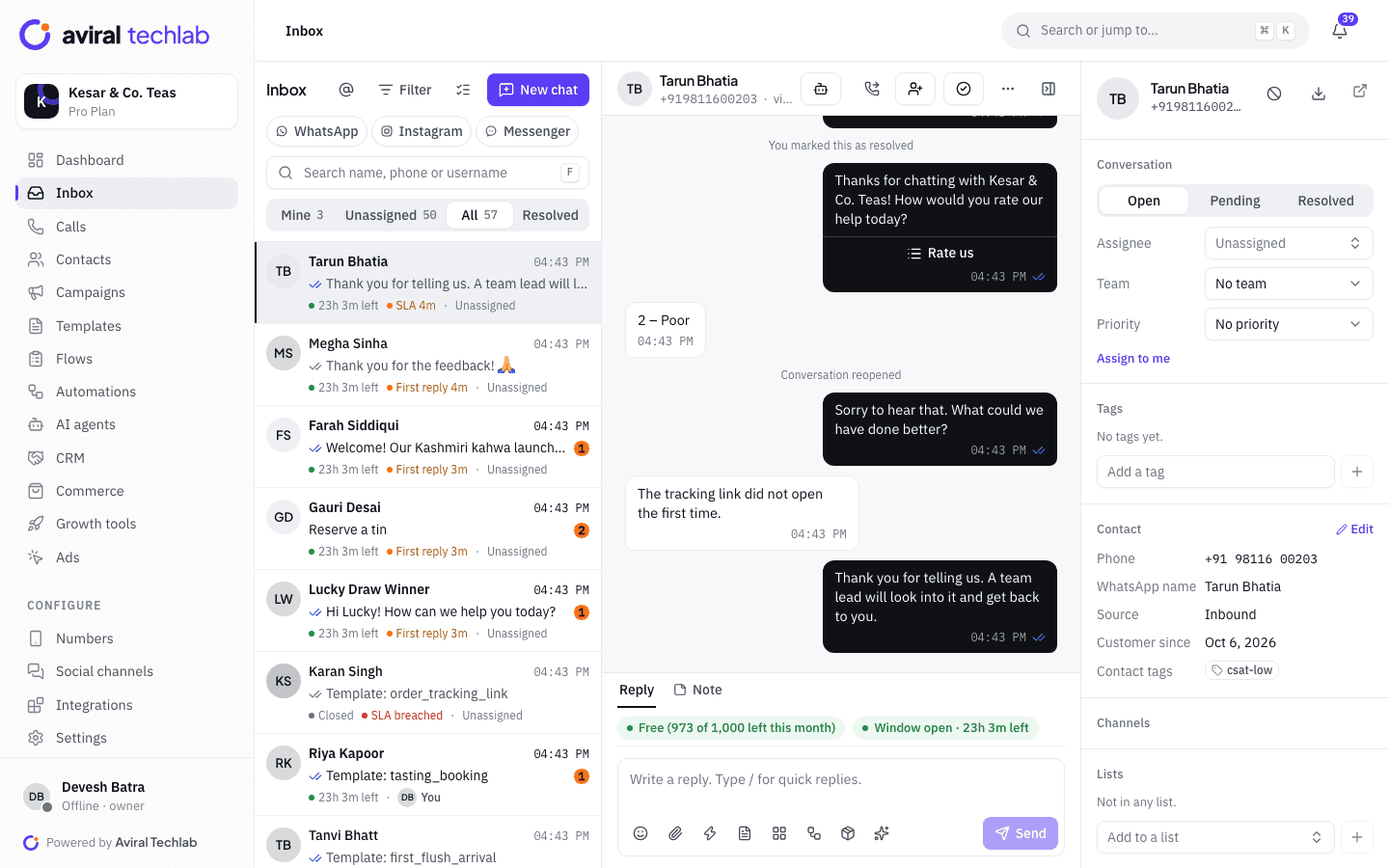
Split chats between Mine, Unassigned and All. Rules assign new chats automatically, and managers can reassign or transfer with a note in one click.
- Round robin, least busy, the last agent who served the contact, or a fixed person
- Teams with their own queues, and an option to assign only to agents who are online
- A warning when two agents open the same chat
Replies that are fast and correct
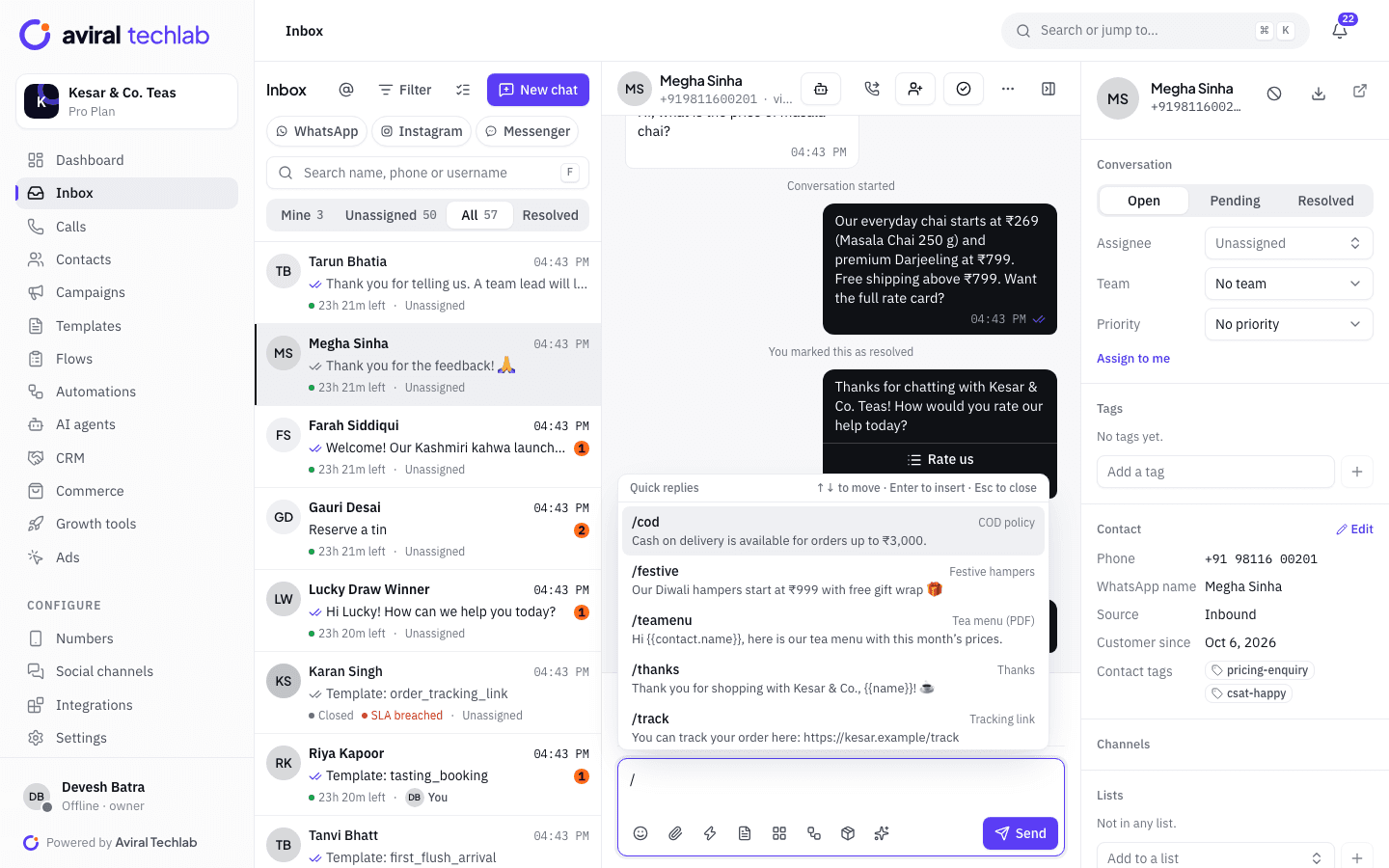
Quick replies, templates and notes
Type / to insert a saved reply. Outside the 24-hour window, pick an approved template instead. Leave internal notes and @mention a colleague without the customer seeing.
- Saved replies with variables
- Approved templates with media and buttons
- Reply buttons and lists, and a button that opens a link
- Private notes and mentions, and messages you can schedule for later
Customer context
Know who you are talking to
The contact panel shows tags, lists, source, past orders and open deals next to the chat, so agents can answer without asking twice.
- Tags, lists and custom fields
- Conversation status and priority
- Free-message window shown on every chat
The rest of a working day in the inbox
The features support teams reach for once the basics are in place.
- SLA policies
- Set targets for first response, next response and resolution, counted in your business hours and holidays. Breaches raise an alert and can start an automation.
- Business hours and away messages
- Send a greeting to new chats and an away message outside your hours, per number or for the whole workspace.
- Saved views and filters
- Filter by status, assignee, team, tag, number, unread or whether the 24-hour window is open, and save the filter as a view.
- Bulk actions
- Select many chats to assign, tag, snooze, resolve or send a template in one go.
- CSAT after resolve
- Ask for a rating with buttons when a chat is resolved. Ratings show on the chat and feed your analytics.
- Search that finds the message
- Search across chats and inside a thread, and export a chat when a customer or auditor asks for it.
- Roles and visibility
- Let some roles see every chat and others only the chats assigned to them and their team.
- More channels, same inbox
- Add Instagram and Messenger conversations next to WhatsApp and reply from the same place.
Frequently asked questions
How many agents can use one WhatsApp number?
As many as your plan includes: 3 seats on Starter, 10 on Growth and 25 on Pro, with extra seats at ₹499 a month. Every agent signs in with their own login and works from the same shared number.
Can I keep using the WhatsApp Business app?
Yes. With coexistence, the app on your phone and the team inbox can use the same number at the same time.
What is the 24-hour window?
After a customer messages you, you have 24 hours to reply with any message. After that, WhatsApp requires an approved template, which Meta charges for. The inbox shows the time left on every chat and switches the reply box to templates when the window closes.
Will customers see my internal notes?
No. Notes are visible only to your team, and you can @mention a colleague to notify them.
Can a bot and a person share the same chat?
Yes. Chatbots and AI agents answer in the same thread, so your team can read what they said. When a person replies, the bot steps back.
See it working with your own number
Book a 20-minute walkthrough. We’ll connect your WhatsApp Business account with you and set up your first automation.