For marketing and growth teams
Campaigns that people reply to, with the numbers to prove it
Send approved templates to the right segment, test two versions, retarget people who read but did not reply, and trace chats back to the ad that started them.
Targeted broadcasts
Send an approved template to a segment, list or CSV, with variables from contact fields, a schedule and a cost estimate before you send.
Test, then retarget
Split an audience between variants and pick the winner on read, reply or click rate. Retarget people who read but did not reply.
Ads traced to customers
Click-to-WhatsApp chats are attributed to the ad that started them, with leads, conversions and revenue per ad.
The campaign toolkit, on one number
Everything below uses the same contacts, templates and inbox, so replies to a campaign land with the team that can answer them.
Audiences
Reach the right people, and only people who opted in
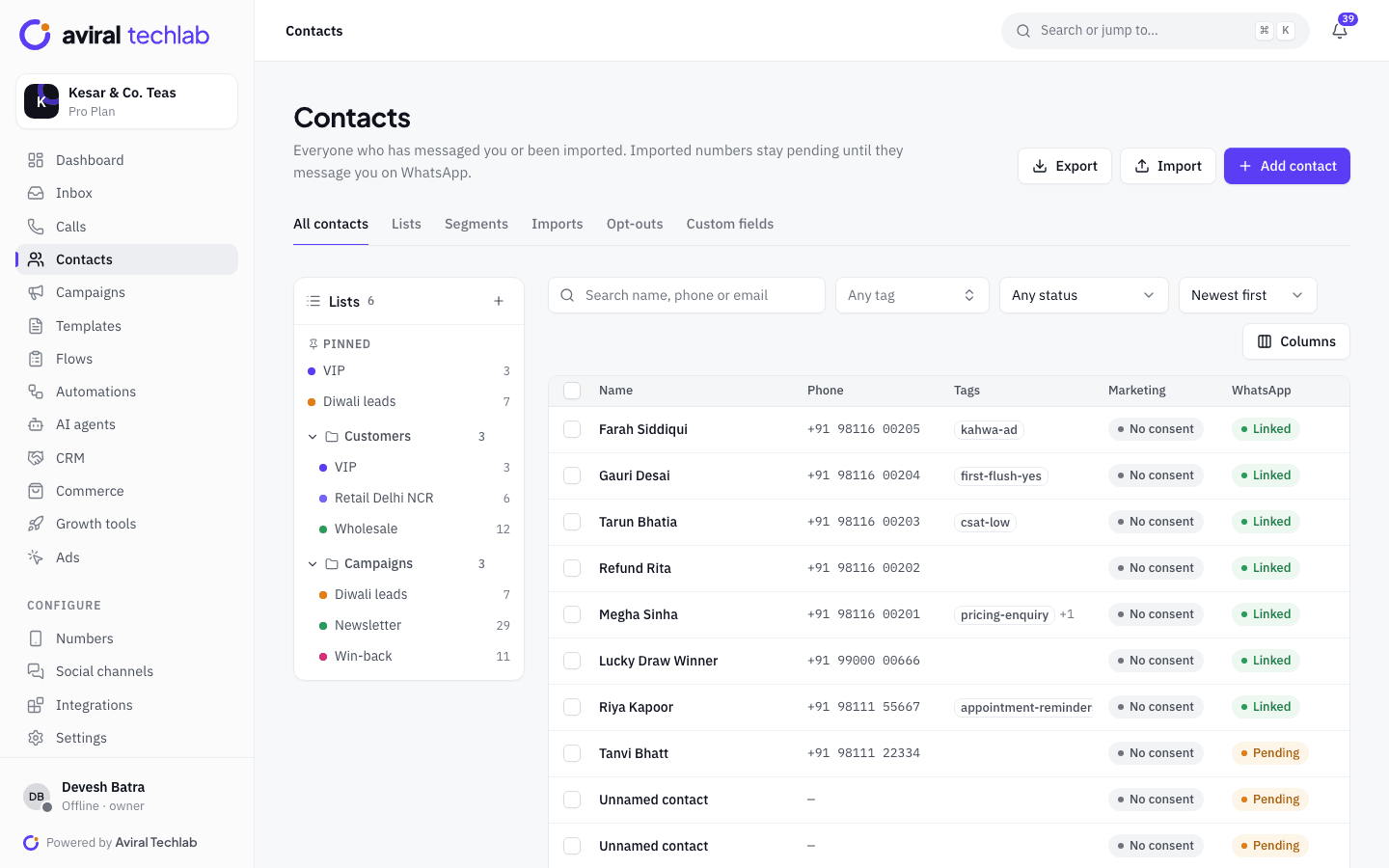
Build segments on tags, contact fields and engagement, combine lists with includes and excludes, or upload a CSV for a one-off send. Marketing campaigns skip contacts without recorded marketing consent unless you explicitly confirm responsibility for them. Opt-outs always apply, and a per-contact frequency cap and quiet hours keep sends from piling up.
- Segments, lists and CSV audiences in one builder
- Frequency cap per contact and quiet hours for the workspace
- Opt-out keywords honoured on every send
Templates
Message formats that fit how people read on a phone
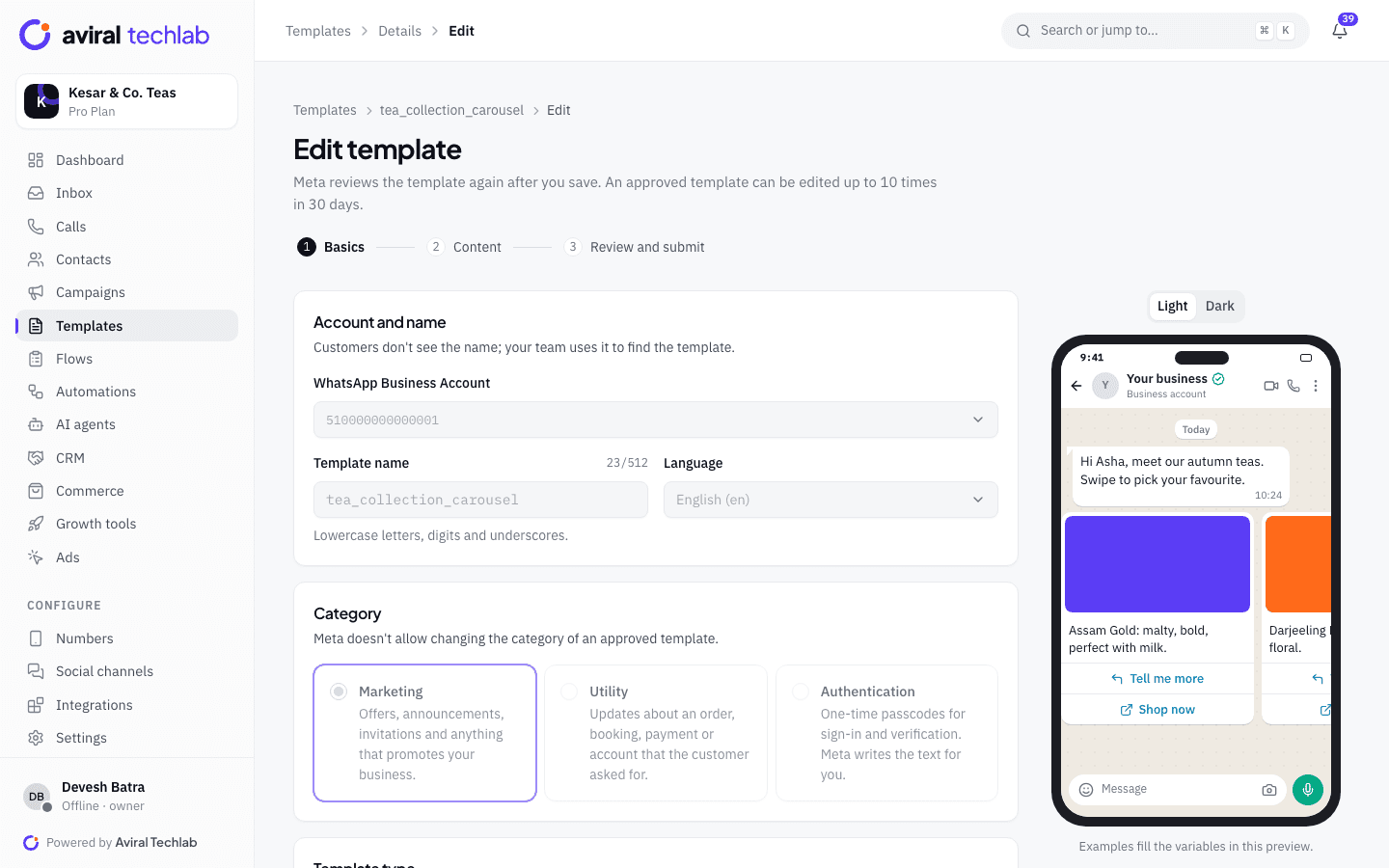
Build marketing templates with images, video or documents, buttons, carousels, limited-time offers and buttons that open a WhatsApp Flow. A live phone preview shows exactly what customers will see, and Meta’s review status and rejection reasons appear on each template. Click tracking on URL buttons shows which links people tap.
- Carousel and limited-time-offer templates
- Tracked link buttons with click counts per campaign
- Template quality and approval status in one list
A/B tests and retargeting
Find the better message, then follow up on the quiet ones
Split an audience between variants, send to a test share and choose the winner on read, reply or click rate before the rest go out. After a send, retarget the people who read but did not reply, or who tapped a button, with one click, and save any result as a list. Recurring campaigns repeat a send weekly or monthly.
- A/B tests with a winner chosen on read, reply or click rate
- One-click retarget of readers, repliers and clickers
- A best-time-to-send view built from your own past broadcasts
Measurement
Follow a customer from the ad to the sale
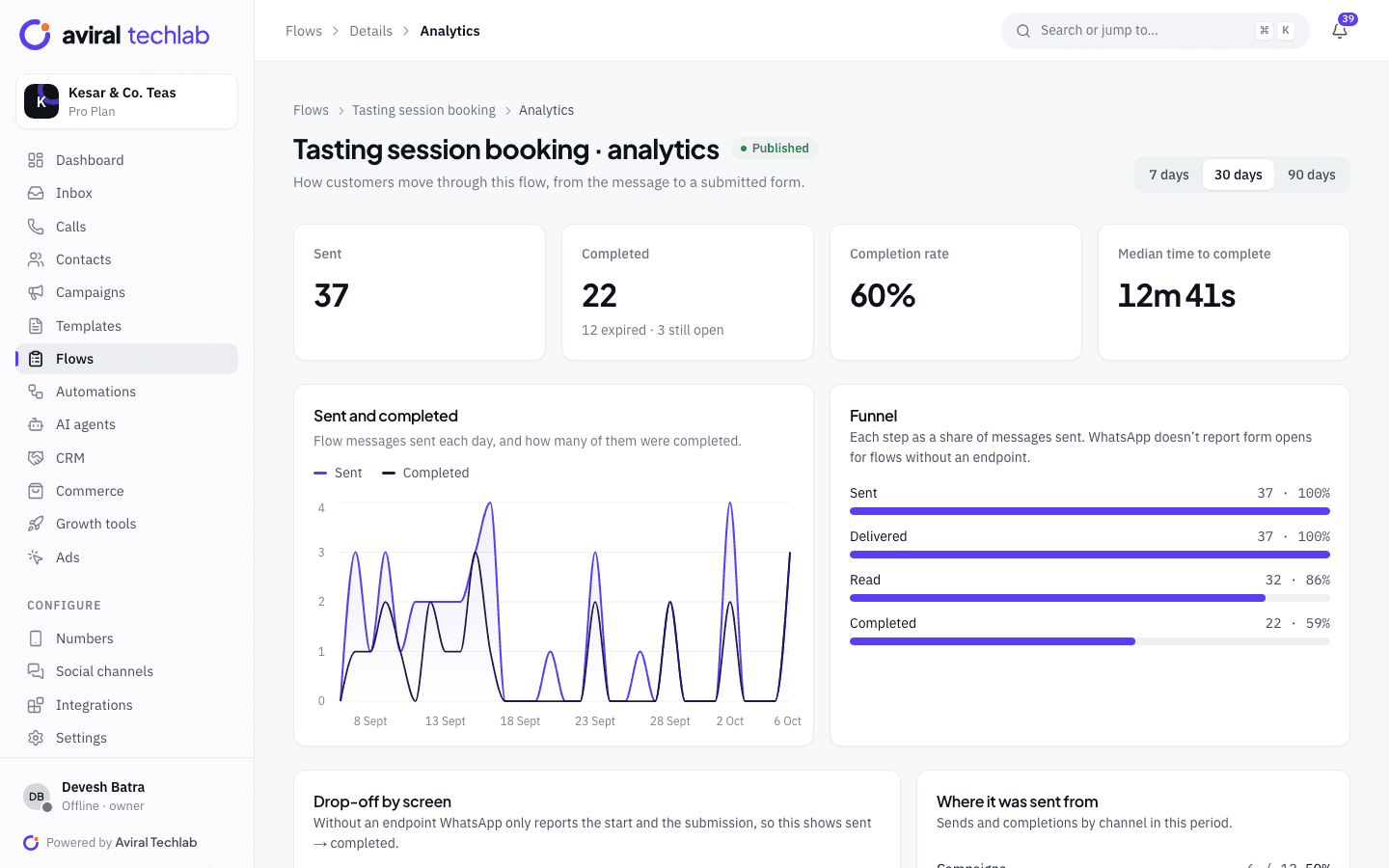
Chats that start from a click-to-WhatsApp ad are tagged with the ad, and the ads report follows each ad from clicks to conversations, leads, conversions and revenue. Campaign reports show delivered, read and replied counts, and spend estimated from Meta’s rate card. Schedule a report by email to your team, and track completion and drop-off for every WhatsApp Flow you send.
- Per-ad conversations, leads and revenue
- Cost by message category, with free service messages tracked
- Scheduled report emails to teammates
A broadcast, step by step
The wizard checks each step before you can send, so mistakes show up before they cost money.
- 1
Choose the audience
Pick segments, lists or a CSV, then add excludes. You see how many people will receive the message and how many are skipped, and why.
- 2
Pick the template and schedule
Choose an approved template, map its variables to contact fields and send a test to your own number. See the cost estimate, then send now or schedule.
- 3
Read the results and follow up
Watch delivered, read, replied and clicked counts. Retarget the readers who did not reply, and move repliers to the team.
Campaigns marketing teams run
Combine broadcasts, drips and automations on the same contacts.
Festive and seasonal sales
Send a limited-time-offer or carousel template to past buyers, then retarget the people who read it.
Lead nurture after an ad
Enrol people who message from an ad in a drip with a few follow-ups. It stops when they reply or convert.
Event and webinar sign-ups
Invite a segment to an event with a template button that opens a registration Flow, and see completion rates.
Loyalty and sign-ups
Use a sign-up Flow to join a programme, then tag members and send them early access to offers.
Product launches
Announce a launch with a carousel, and send the product list or a payment link when customers reply.
Growing your opt-in list
Put a wa.me link or QR code on packaging, posters and your site, and use the opt-in collection flow to record consent.
Frequently asked questions
Do I need opt-in before sending marketing templates?
Yes. WhatsApp requires it, and the platform enforces it: marketing campaigns skip contacts without recorded marketing consent. You can override that for a campaign only by confirming that you accept responsibility, and the confirmation is stored and audited.
How do A/B tests work?
Create two to five variants, choose how much of the audience takes part in the test (20% by default) and the metric that decides the winner: read rate, reply rate or click rate. The test goes out first. When the test window ends, the winner goes to the rest of the audience automatically, or you can pick one yourself.
What does a marketing message cost?
Meta charges for each delivered marketing template at its own rate. Pay Meta directly and we add no markup, or use a prepaid wallet whose rates include a small processing margin. The campaign wizard shows an estimate before you send, and the message cost calculator can estimate a month.
Can I limit how often someone hears from us?
Yes. Set a frequency cap, for example one marketing campaign per contact in 24 hours, and quiet hours during which sends pause and then resume. Drips have their own weekday and time windows.
How does ad attribution work?
When a customer starts a chat from a click-to-WhatsApp ad, the ad’s details arrive with the first message, and the contact is attributed to that ad. You can send lead and purchase events back to Meta so your ads optimise for buyers, and the ads report shows revenue per ad.
Explore more
- Broadcasts and campaignsSend templates to the right segment
- Click-to-WhatsApp adsTurn ad clicks into conversations
- AnalyticsCosts, response times and revenue
- WhatsApp FlowsForms and bookings inside the chat
- Chatbots and automationVisual flow builder, no node limits
- Message cost calculatorEstimate your monthly Meta bill
Plan your next campaign on WhatsApp
Book a 20-minute walkthrough. We will connect your number and build your first segment and campaign with you.