For e-commerce and D2C brands
From abandoned cart to delivered order, on WhatsApp
Remind shoppers about their cart, confirm cash-on-delivery orders, send tracking links and collect UPI payments. Orders from Shopify and WooCommerce start the right message for you.
Recover abandoned carts
Shopify checkouts, WooCommerce carts and carts started in WhatsApp each get timed reminders. A completed order cancels the rest.
Confirm COD before you ship
New cash-on-delivery orders get a confirm or cancel message, and an offer to pay online with a discount you set.
Updates on every order status
Confirmed, shipped, delivered, cancelled and refunded. Each status can send its own approved template with the tracking link.
The whole order journey in one inbox
Messages go out as your own approved templates and through your own payment gateway. Customers reply in the same chat, and your team sees the order beside the conversation.
Abandoned carts
Bring back shoppers who left something behind
After a checkout is abandoned, the Shopify app waits for the delay you choose and sends your approved reminder template with the checkout link. Carts started in WhatsApp from your catalogue get a recovery sequence of up to three steps, starting with the products the customer picked. Recovered revenue is counted once the order is paid, not when it is placed.
- A completed order cancels the reminder
- Sent only to buyers who accepted marketing, by default
- One sender per reminder, so shoppers never get two
Cash on delivery
Confirm COD orders and move them to prepaid
When a COD order is placed, the customer gets a template with Confirm and Cancel buttons. A tap tags the order confirmed or cancelled in your store. Agents can also switch any COD order to prepaid from the order page: set a discount and the payment link goes out in the same chat.
- Ready-made COD confirmation flow for Shopify and WooCommerce
- The pay-online discount is set once in your commerce settings
- Convert to prepaid from the order page or straight from the inbox
Catalogue and payments
Show the product, take the order and collect the payment
Send products from your catalogue, let customers add them to a cart, and answer the order with a Razorpay or PayU payment link or a UPI request that opens their UPI app. You connect your own gateway account, so the money settles to you. Unpaid links get up to three automatic reminders.
- Import products from Shopify or WooCommerce, or add them by hand
- Order cards that split GST into CGST and SGST, or IGST
- Payment reminders after 1 and 12 hours by default
Store, ads and returns
Orders, ads and returns feed the same inbox
The Shopify app and the WooCommerce plugin send order, payment, fulfilment and tracking events that start your automations and templates. Chats that begin from a click-to-WhatsApp ad are tagged with that ad, so the ads report shows which ones brought customers. For returns, the Return request automation collects the order number and a photo, creates a task and routes the chat to your returns team.
- Tracking number, link and carrier available as message variables
- WooCommerce checkout opt-in is saved on the contact as consent
- Build a return form with WhatsApp Flows if you prefer a form
One order, start to finish
Every message in this journey lands in the customer’s chat history, so anyone on your team can pick up where it stopped.
- 1
The shopper arrives
A click-to-WhatsApp ad, a chat button on your site or a wa.me link opens the chat. A welcome menu answers first and sends the catalogue.
- 2
Order and payment
The customer checks out in the chat or on your store. COD orders are confirmed with a tap, and unpaid payment links are reminded.
- 3
Delivery and after-sales
Status updates and tracking links go out as the order moves. After delivery, ask for a rating, and route returns to your team.
Workflows e-commerce teams set up first
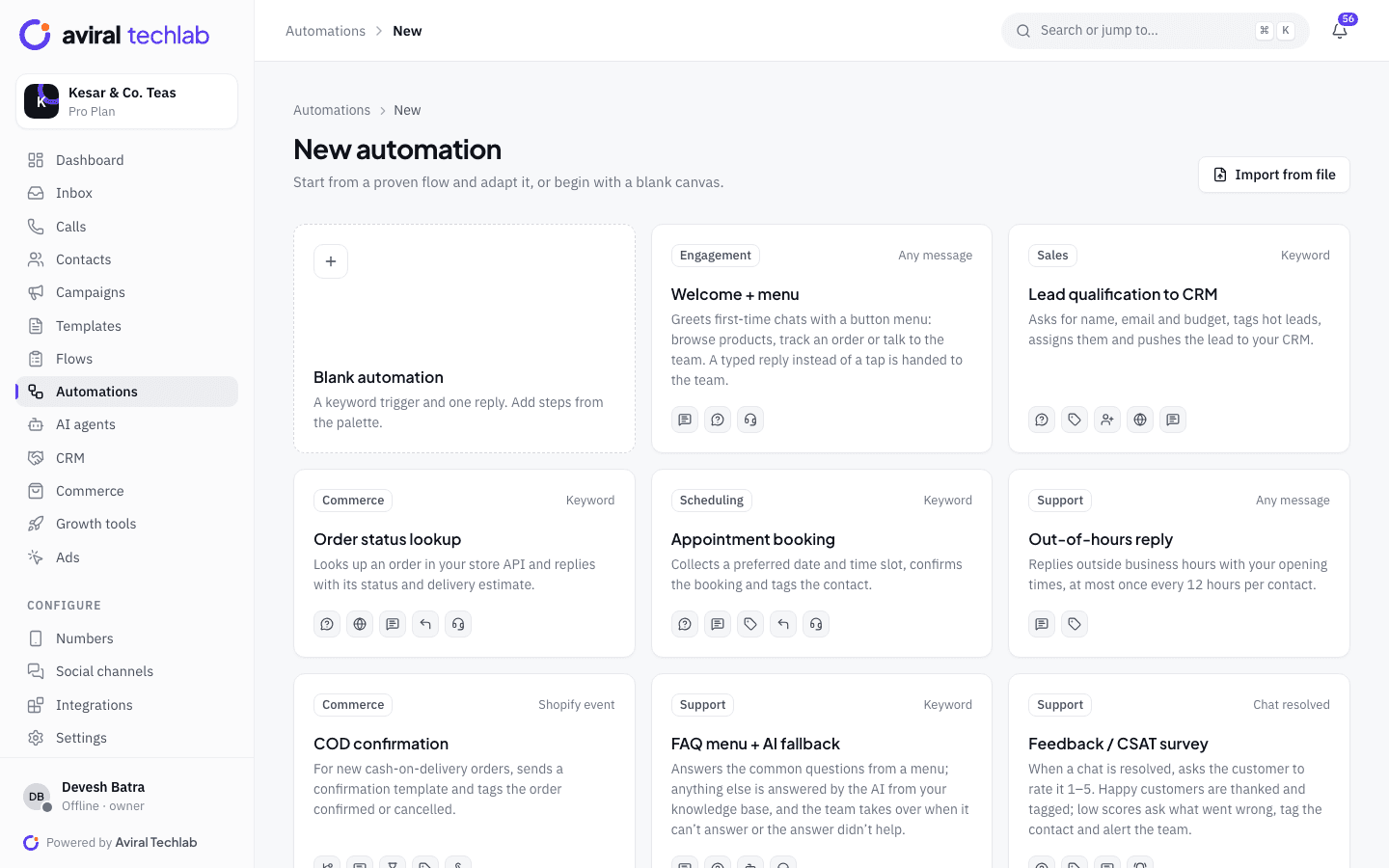
Start from a ready-made automation or build your own in the flow builder.
Order status lookup
The customer sends an order number and gets the status, payment and tracking from your store, without waiting for an agent.
Launches and festive sales
Send carousel and limited-time-offer templates to segments such as repeat buyers, with delivery and read counts for each send.
Win-back sequences
Enrol lapsed buyers in a drip: a reminder, a product pick, then a payment link. It stops when the customer replies.
AI order desk
An AI agent answers delivery and returns questions from your policies, looks up the order, and hands over to a person when it is unsure.
Refunds and payment reminders
Send a refund confirmation template when a refund is issued, and remind customers about payment links that are still open.
Ratings after delivery
Ask for a rating once the order is delivered. A low score alerts your team and tags the contact so someone can follow up.
Frequently asked questions
Does it work with Shopify and WooCommerce?
Yes. Install the Shopify app to send order, payment, shipping and abandoned-checkout messages, and connect the store to import products and look orders up live. The WooCommerce plugin sends order messages and abandoned-cart reminders and records checkout opt-in. Other stores can connect through the REST API, webhooks, Zapier, Make or n8n.
Do I need approved templates for cart reminders and order updates?
Yes. Outside the 24-hour window WhatsApp only allows approved templates. Order updates are usually utility templates and cart reminders are usually marketing templates, but Meta decides the final category. Inside the window you can send ordinary messages, including product lists.
How does COD confirmation work?
When a COD order is placed, the customer receives a template with Confirm and Cancel buttons. The reply is written back to the order as a tag, and a cancellation can cancel the order in Shopify. If the customer would rather pay online, an agent converts the order to prepaid and sends the payment link with the discount you configured.
Can customers pay without leaving WhatsApp?
Customers pay with a Razorpay or PayU payment link, or a UPI request that opens their UPI app. You connect your own Razorpay or PayU account, so payments settle to you, and the order is marked paid when the payment is captured.
What do I pay Meta for these messages?
Meta charges per delivered template message at its own rate card. Pay Meta directly and we add no markup, or use a prepaid wallet whose rates include a small processing margin. Marketing templates such as cart reminders cost more than utility templates such as shipping updates. The message cost calculator estimates a month of sending.
Can we keep using the WhatsApp Business app on the same number?
Yes. With coexistence, the WhatsApp Business app on your phone and the team inbox use the same number at the same time.
Explore more
- Catalog and paymentsSell and collect UPI in the chat
- Broadcasts and campaignsSend templates to the right segment
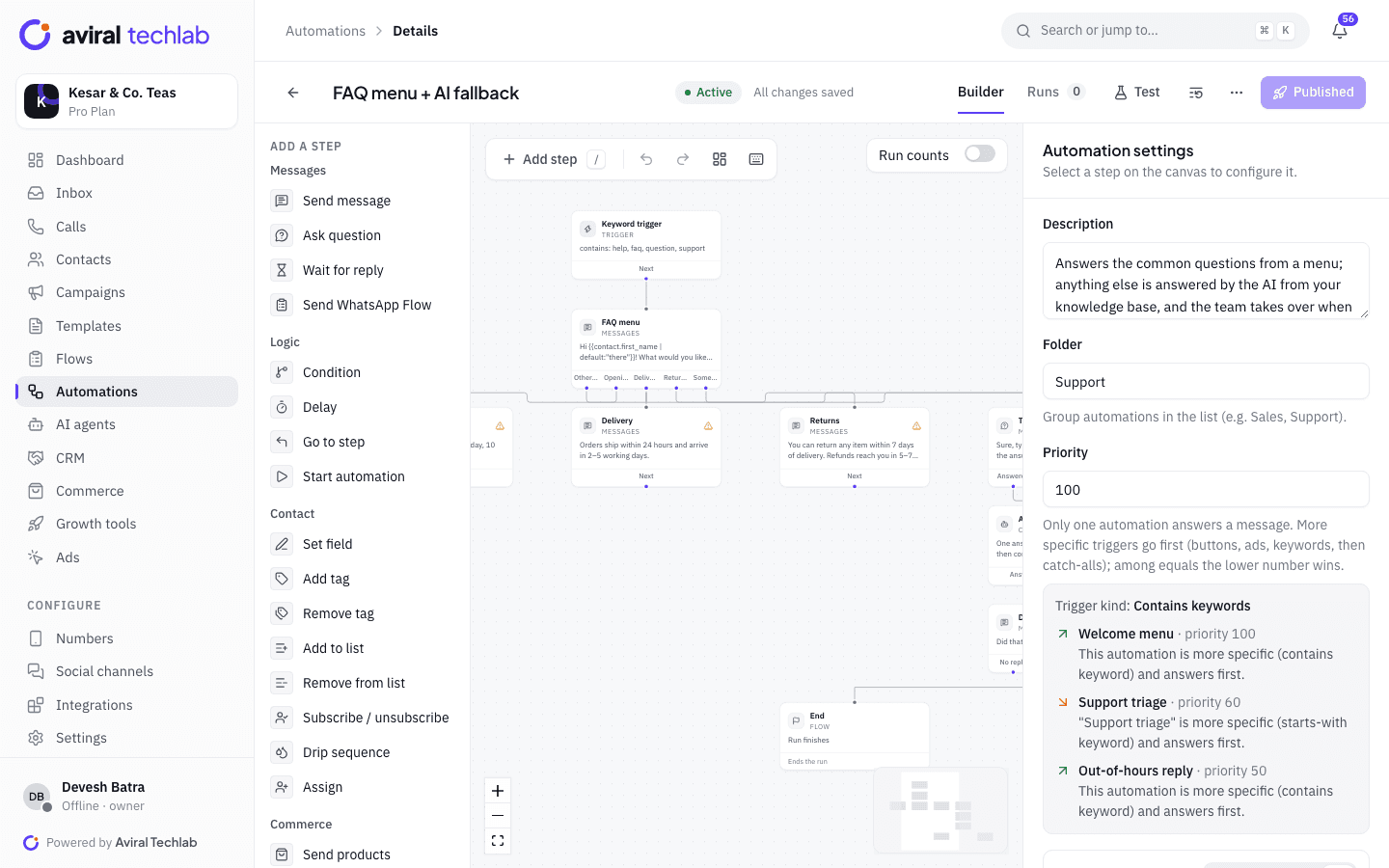
- Chatbots and automationVisual flow builder, no node limits
- Click-to-WhatsApp adsTurn ad clicks into conversations
- IntegrationsShopify, Zoho, Tally, HubSpot and more
- AI agentsAnswer from your knowledge base
See your store’s orders on WhatsApp
Book a 20-minute walkthrough. We will connect your store and set up your first abandoned-cart or COD flow with you.