An AI agent that answers from your business, and knows when to stop
Teach an agent from your website, files and FAQs. It replies in your customer’s language, looks up orders, and hands the chat to your team the moment it is unsure.
Answers from your content
It replies only from the sources you tick: your website, files, FAQs and catalog. It cites the page when there is one.
Guardrails that hold
Topics to avoid, words it must never say and competitors it will not discuss. A reply that breaks a rule is rewritten once, then handed to your team.
A person is one message away
Customers can ask for a human at any time, in English, Hindi or Hinglish. The agent also steps aside when it is unsure or the customer is upset.
Acts, not just answers
Look up orders, create deals, book appointments and send payment links. Before it writes anything, it asks the customer to confirm.
Built to be trusted with your customers
The agent works in the same shared inbox as your team, so you can read what it said, take over, and teach it from real conversations.
Knowledge base
Teach it your business once
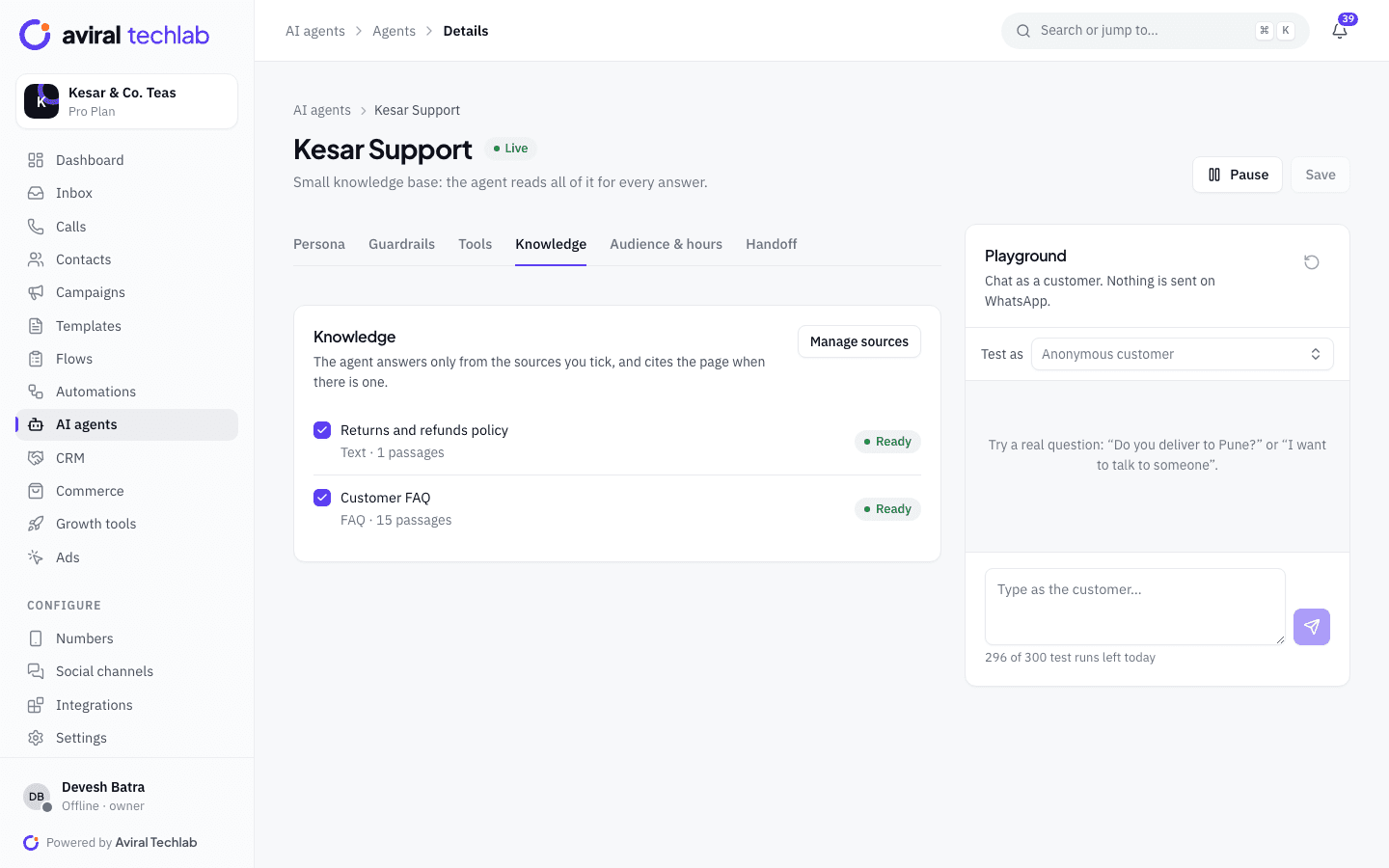
Add the sources the agent may use and tick which ones each agent can read. A small knowledge base is read in full for every answer. A large one is searched, and the agent answers only from what it finds.
- Crawl a website, within its robots.txt rules, up to 200 pages
- Upload PDF, Word, text, CSV and Markdown files
- Paste FAQs, or add your product catalog
- Write an answer once from the unanswered questions list and the agent uses it from then on
Guardrails and handoff
Rules it always follows, and a clean way out
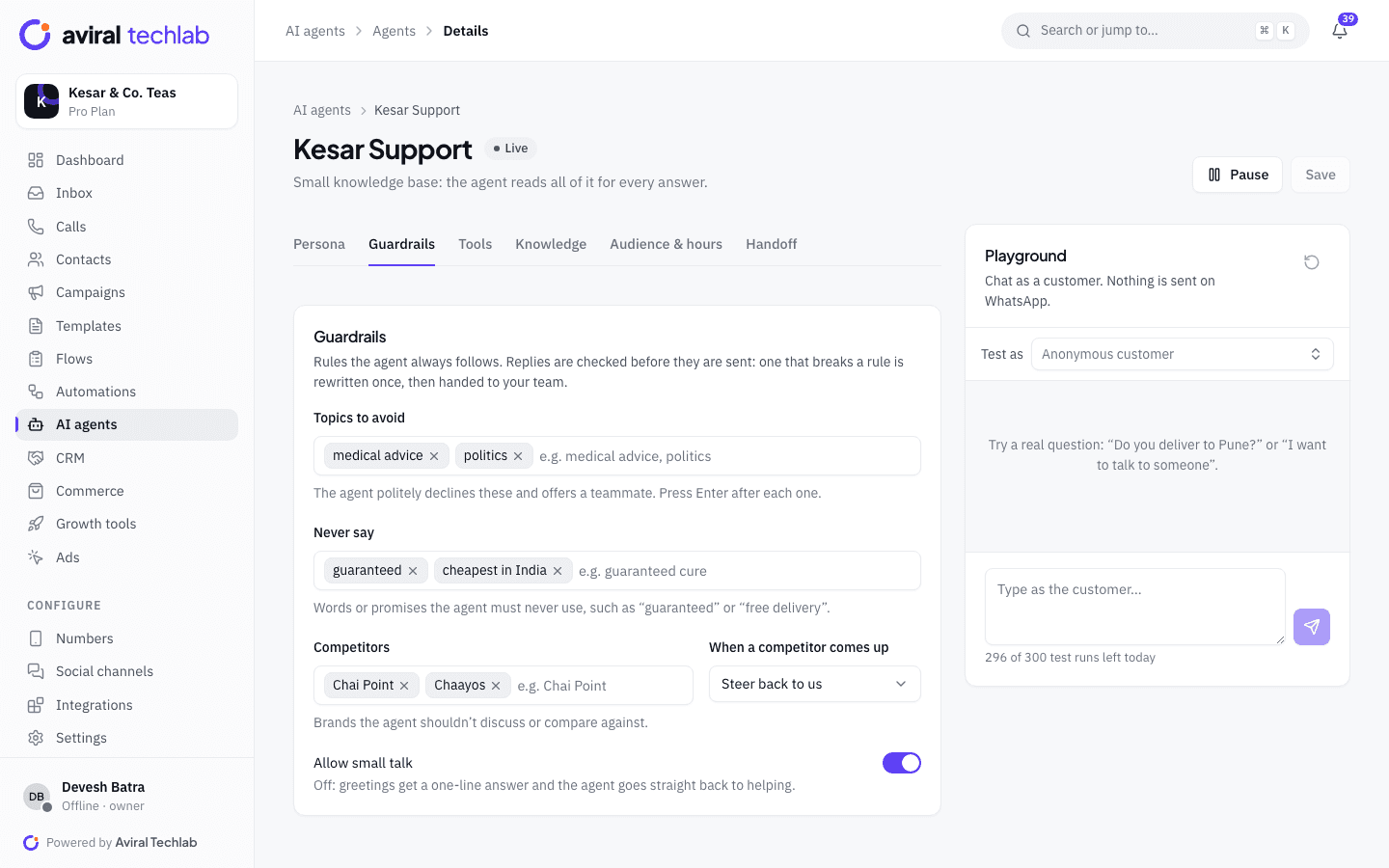
Set the topics the agent avoids, the promises it must never make and how it treats competitors. Replies are checked before they are sent. When it should not carry on, it hands the chat to a team or a person with a summary, and tags the chat.
- Hand off on keywords, after a set number of AI replies, when the knowledge base has no answer or the customer seems upset
- Orders, payments, refunds and complaints can always go to your team
- The first reply says it is automated, and it never claims to be a person
- After a handoff, the AI stays quiet until a teammate presses Resume AI
Actions
Let it do the routine work
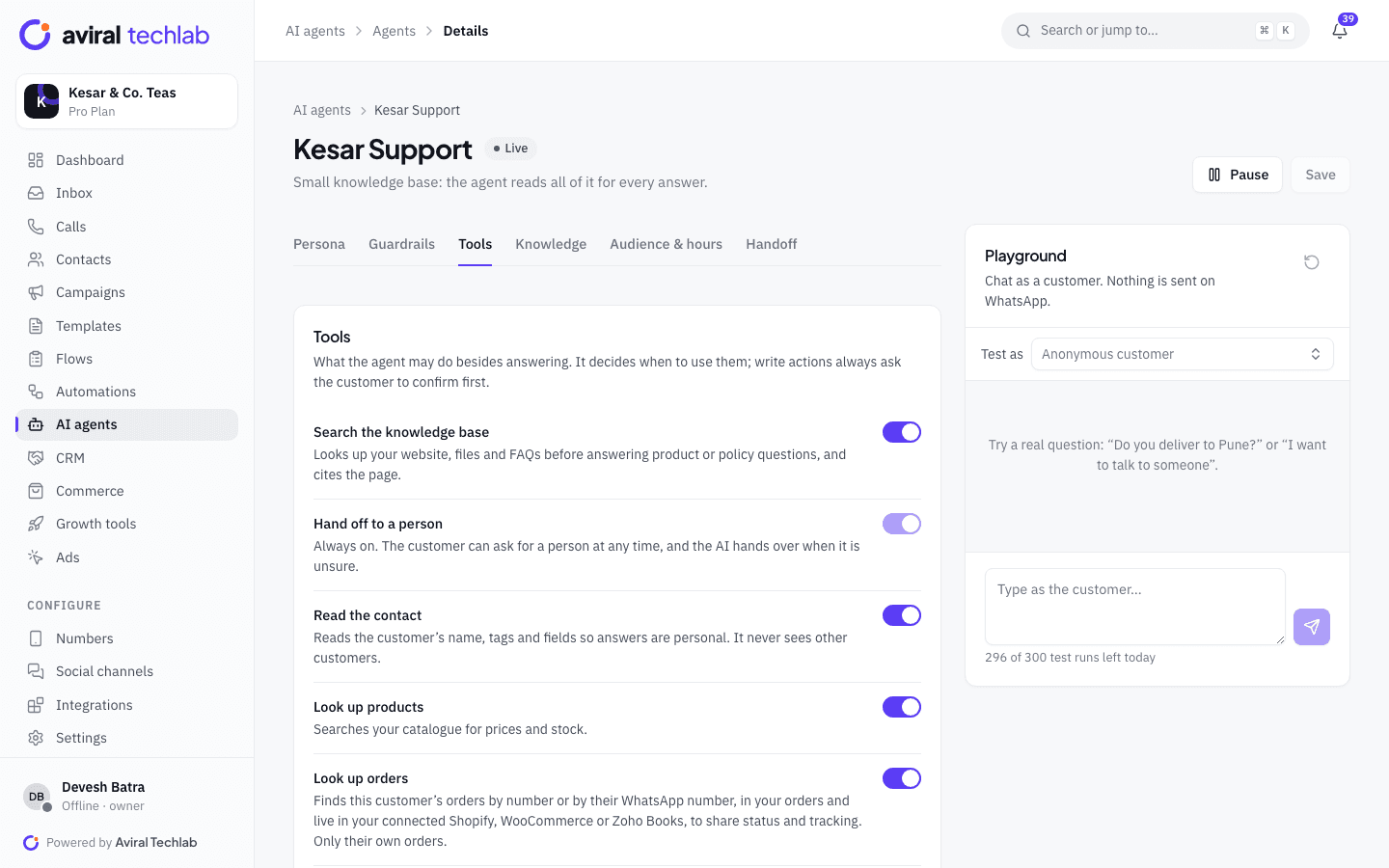
Turn on only the tools an agent needs. Each tool is explained in plain words, and anything that writes data asks the customer to confirm first. Everything the agent does is saved to the contact, so your team sees it.
- Look up this customer’s orders, live in Shopify, WooCommerce or Zoho Books when connected
- Search your catalog for price and stock
- Create a deal or a follow-up task when someone shows buying intent
- Create an order and a payment link, book an appointment, or send an approved template or WhatsApp Flow
Test and improve
Find the gaps before customers do
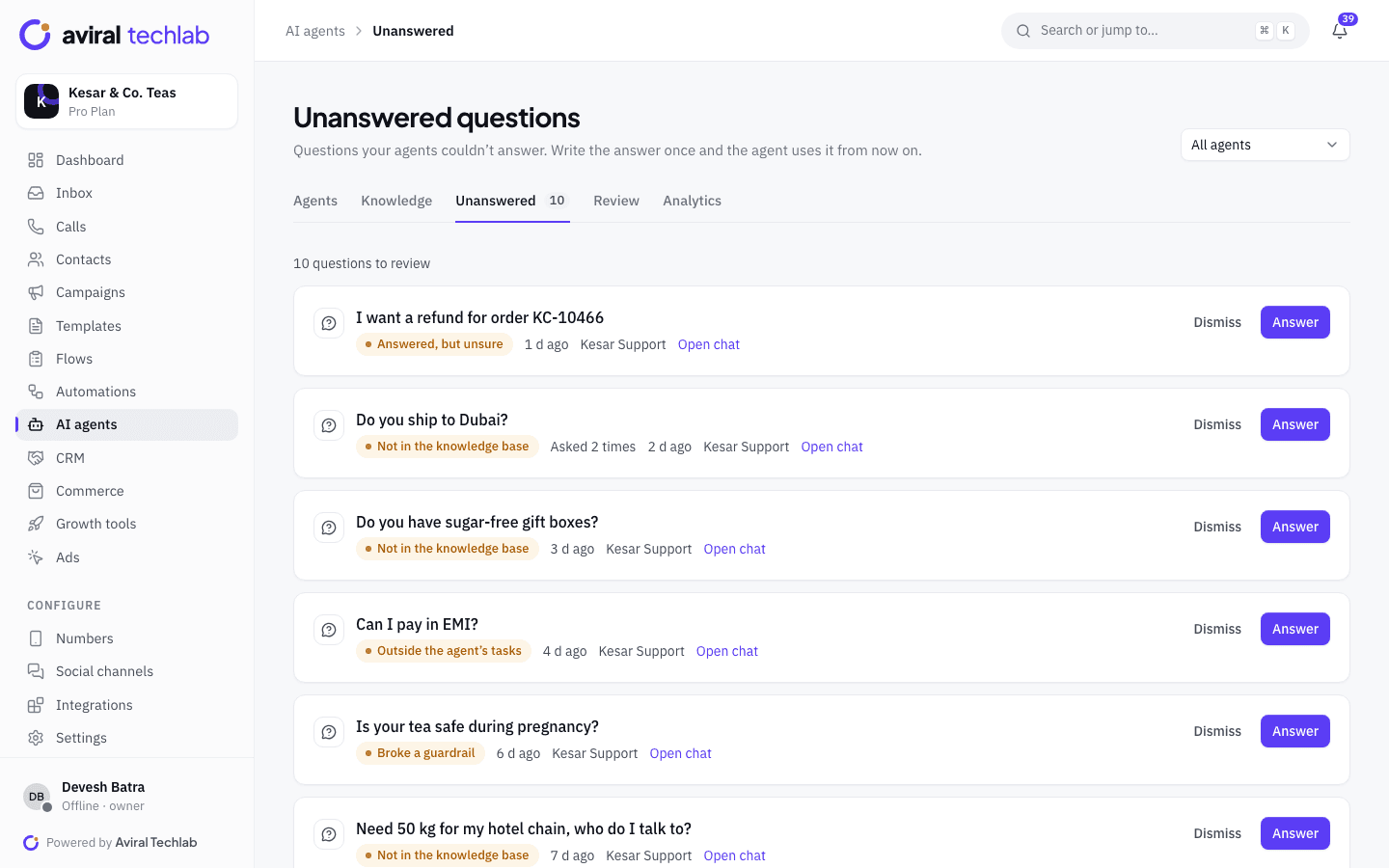
Try an agent in the playground as any contact without sending anything. Once it is live, the Unanswered list collects the questions it could not answer and why. Review its replies, mark them good or bad, and see how many chats it resolved or handed over.
- Playground with 300 test runs a day
- Review queue with handed-off, unsure and refused answers
- Analytics for replies, resolved chats, handoffs, response time and CSAT
Set it up the way your team works
Every agent has its own persona, audience and hours, so a sales agent and a support agent can run side by side.
- Five starting points
- Begin with a support assistant, an order desk, a lead qualifier, a booking assistant or a Hinglish support desk, or start blank.
- Twelve reply languages
- English, Hindi, Hinglish, Marathi, Gujarati, Bengali, Tamil, Telugu, Kannada, Malayalam, Punjabi and Urdu. It answers in the language the customer writes in.
- Audience and hours
- Answer on all your numbers or chosen ones, for new or existing contacts, for contacts with certain tags, and always, only outside business hours or only inside them.
- Tone and length
- Choose friendly, professional, concise, formal or playful, and short, medium or detailed replies.
- Collect details as it chats
- Have the agent ask for a name, an email or your own contact fields, and save the answers to the contact.
- Sensitive data stays out
- Card numbers, OTPs, CVV and PIN codes, and Aadhaar numbers are masked before a message reaches the AI. Tool logs hide emails and phone numbers.
- A monthly allowance you can see
- Usage is counted in AI replies per month, with a warning at 80% and a graceful handoff to your team at 100% instead of silence.
- Inbox copilot for your agents
- On the highest AI tier, your team gets suggested replies, a conversation summary, a sentiment read and translation inside the inbox.
Go live in three steps
- 1
Add knowledge
Point the agent at your website, upload your policies and add FAQs. Tick the sources it may use.
- 2
Set guardrails and handoff
Choose topics to avoid, handoff keywords and the team that takes over. Turn on the tools it needs.
- 3
Test, then switch it on
Ask it real questions in the playground. When the answers look right, set it live for the numbers and hours you chose.
Frequently asked questions
Can the AI say something wrong or promise something I did not approve?
It is built to reduce that risk, not to remove it. The agent answers from your sources, avoids the topics you list, and cannot use the words and promises you ban. A reply that breaks a rule is rewritten once and then handed to your team. Use the playground and the review queue to check it before and after you go live.
Does it tell customers they are talking to AI?
Yes. Its first reply in a conversation says it is an automated assistant, and it never claims to be a person. A customer can ask for a human at any time and the chat moves to your team.
What happens when it does not know the answer?
It hands the chat to your team instead of guessing, and adds the question to your Unanswered list. When you write the answer once, the agent uses it from then on.
Is this a general chatbot like ChatGPT?
No. Each agent has a defined job, a persona and the sources you give it, and it works only on your own numbers and customers. WhatsApp’s rules restrict general-purpose AI assistants on the Business Platform, so these are task-specific agents by design.
What do AI agents cost?
AI is counted in replies per month and sold in tiers. Pro includes the base tier, which answers from your knowledge base. Higher tiers add actions such as creating orders, deals and payment links, more agents and the inbox copilot, and Enterprise includes the top tier. Talk to us for the current prices.
See it working with your own number
Book a 20-minute walkthrough. We’ll connect your WhatsApp Business account with you and set up your first automation.