For clinics, hospitals and diagnostic centres
Appointments, reminders and follow-ups your front desk does not have to chase
Patients book in the chat, get reminders before the visit and reach your front desk on the number they already use. Keep messages administrative: bookings, reminders, documents and feedback.
Appointment booking in the chat
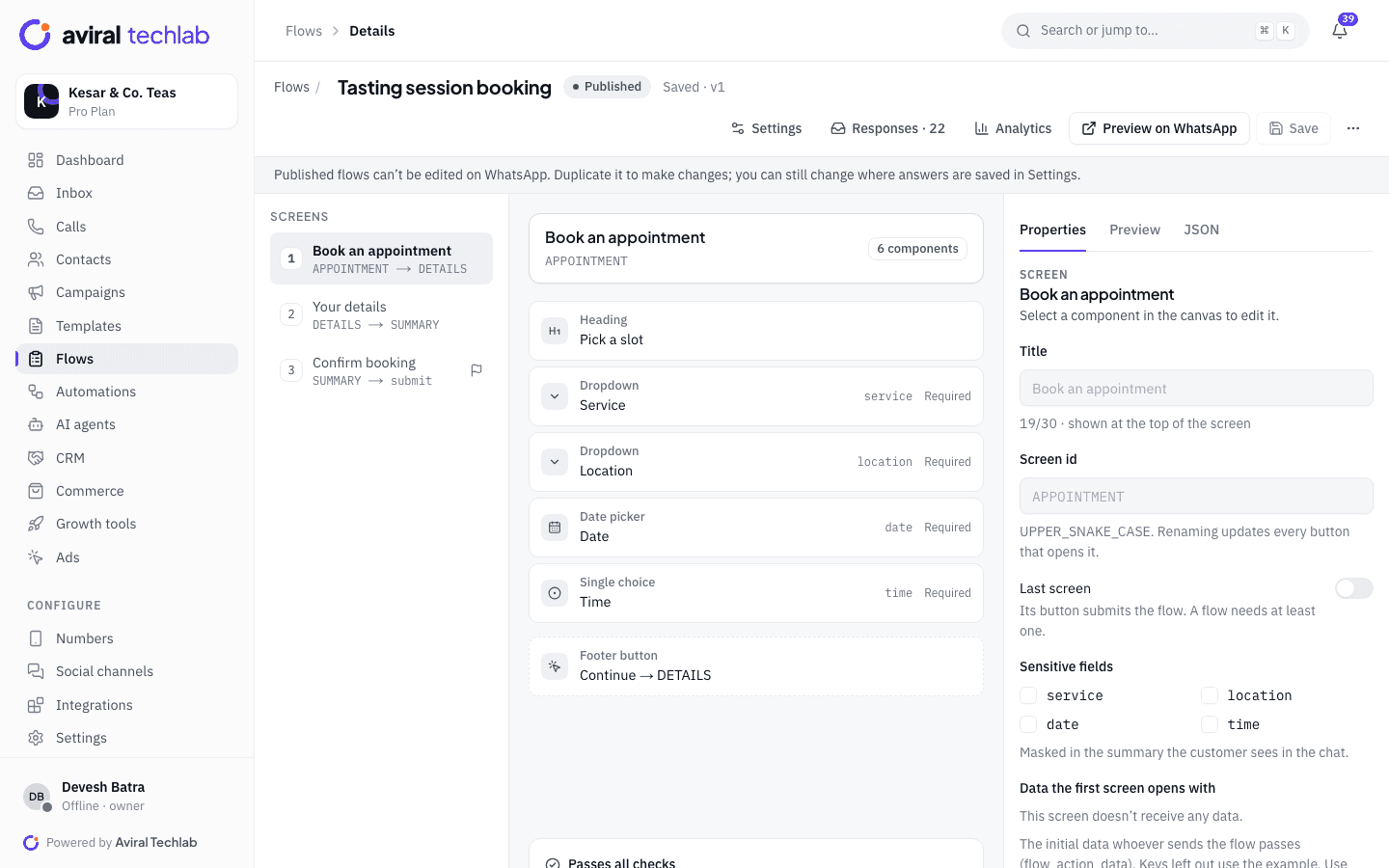
Patients choose a service, date and time from the free slots in a WhatsApp Flow. A booked time cannot be taken twice.
Reminders and follow-ups
Schedule reminders and follow-up sequences with approved templates. Sequences stop when the patient replies.
Consent and access control
Opt-ins are recorded with an audit trail, opt-outs are honoured, and roles decide which staff see which chats.
Built for a busy front desk
Most patient messages are routine: a booking, a time change, a question about location. Automate those and keep your staff for the conversations that need a person.
Appointments
Let patients book without calling the clinic
Send a booking Flow from your number, a template button or a chatbot. Patients choose a service, a date and a time from free slots, and the booking is saved on their contact. Front-desk staff see every booking in one list, can cancel one and message the patient from the same screen. Fields you mark as sensitive are masked in the summary the patient sees in the chat.
- Live slots with no double booking
- Sensitive fields masked in the chat summary
- Booking list with cancel and notify
Reminders and follow-ups
Send a reminder the patient can answer
Send appointment reminders and follow-up messages as approved templates with a confirm or reschedule button. A drip sequence can run a series, such as a check-in a few days after the visit, inside sending windows so nothing goes out at night. Replies land in the shared inbox rather than on a personal phone. If your clinic software already knows the appointment time, trigger the reminder from it through the REST API.
- Utility templates for reminders and confirmations
- Weekday and time-of-day sending windows, with quiet hours for broadcasts
- Send from your own software through the REST API and webhooks
Reports and documents
Share documents only when the patient agrees
A report is personal data. Ask the patient whether they want it on WhatsApp, and send it only after they say yes. Inside the 24-hour window you can attach a PDF to a normal reply. Outside it, use an approved template with a document header. Roles limit which staff can open which chats, and settings for data retention and chat export help you meet your own obligations.
- Document headers in approved templates
- Agents limited to their own or their team’s chats
- Data retention settings and chat export
Consent and policy
Stay inside Meta’s rules and your patients’ wishes
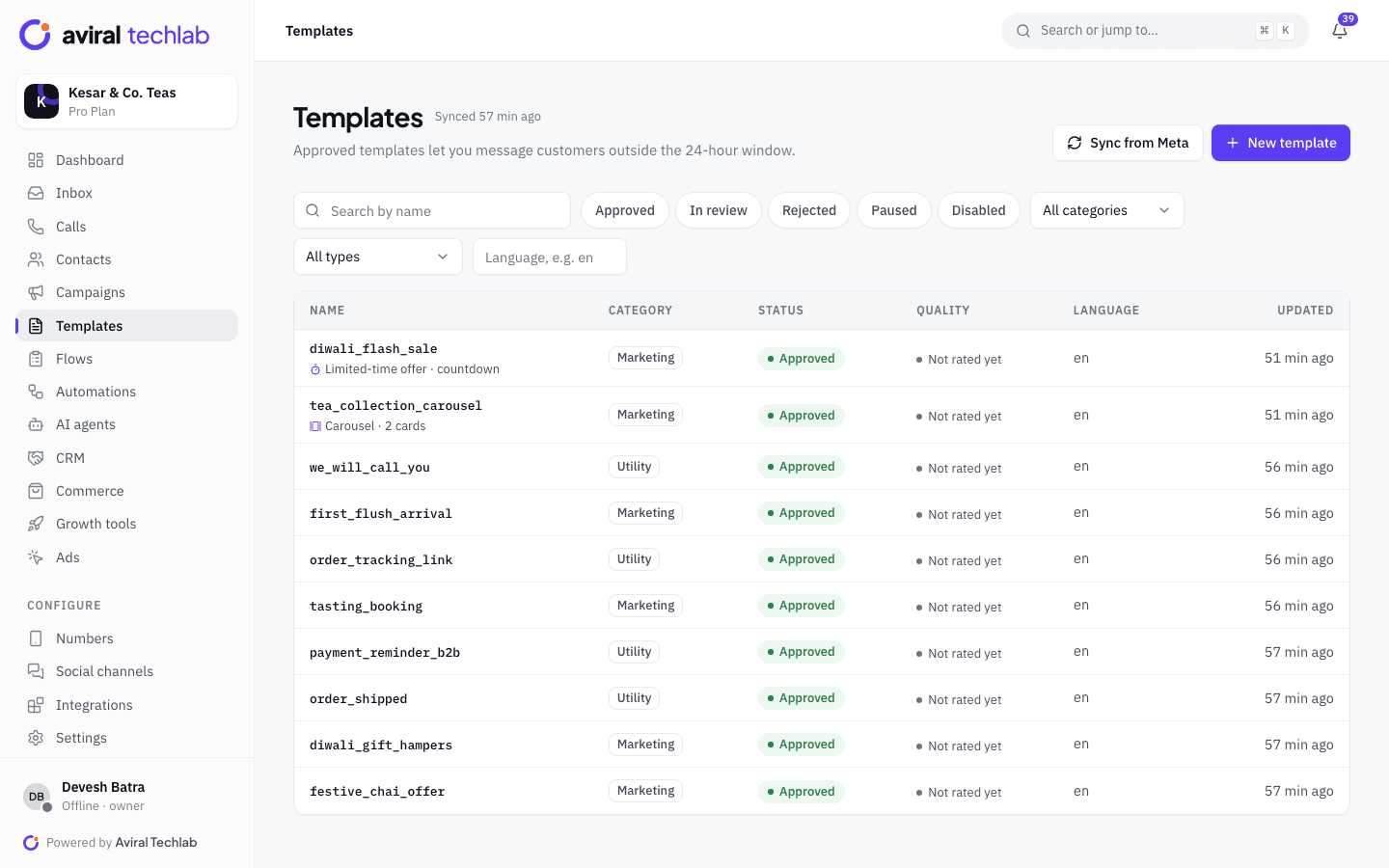
Health content on WhatsApp falls under Meta’s Business Messaging Policy and Commerce Policy, and Meta reviews every template before you can use it. Keep messages administrative: confirm bookings, remind, share a document, ask for feedback. Do not make medical claims or promise outcomes. If Meta rejects a template, the reason is shown next to it so you can edit and resubmit.
- Opt-in status and its source on every contact
- Opt-out keywords such as STOP honoured automatically
- Rejection reasons shown on the template page
A patient visit, on WhatsApp
Each step uses an approved template or a WhatsApp Flow, and every reply is visible to your front desk.
- 1
Booking
The patient messages your number, taps a button on your website or scans a QR code at the clinic. A Flow collects the service, date and time.
- 2
Before the visit
A reminder goes out with the time and place. The patient can confirm or ask to reschedule, and your front desk sees the answer.
- 3
After the visit
A follow-up message and a feedback request go out. Reports are shared only with the patient’s agreement.
Other workflows clinics and hospitals use
Each of these starts from a ready-made Flow or automation template.
Health check-up camps
Register people for a camp with an event registration Flow, and send a confirmation template with the venue and time.
Routine check-up recalls
Segment patients by a last-visit field you maintain, and send a recall reminder to the ones who are due.
Patient feedback
Run a feedback or NPS survey after a visit, and alert the manager when a score is low.
Front-desk questions
Answer timings, location, doctors and fees with a menu or an AI agent that only uses your content, and hand clinical questions to staff.
Callback requests
A callback Flow lets patients leave a topic and a good time, and notifies the right person on your team.
Multi-branch hospitals
Give each branch its own number and team within your plan’s limit, with roles that keep each branch’s chats separate.
Frequently asked questions
Can I send medical reports on WhatsApp?
You can, if the patient agrees. Treat reports as sensitive personal data, ask first, and follow your own legal and data-protection obligations, including the DPDP Act. We provide the tools for documents, roles and audit logs, not legal advice.
What can I put in a template?
Meta reviews every template and applies its Business Messaging Policy and Commerce Policy, including to health-related content. Appointment confirmations and reminders usually fit the utility category, while promotional or claim-heavy text is more likely to be rejected. Meta makes the final decision, so read the current policy and expect to edit a rejected template.
Does it connect to our hospital or clinic software?
Through the REST API and webhooks you can send templates from your own software and receive replies and delivery updates. Google Sheets, Zapier, Make and n8n cover simpler cases. There is no prebuilt connector for specific clinic or hospital systems yet.
Can the AI agent give medical advice?
No, and it should not be set up to. Give it a narrow job such as timings, locations, fees and booking, answer only from content you provide, and set handoff rules so clinical questions go to your staff.
How is patient data protected?
Each business’s data is isolated, and you control which roles can see which chats. Changes to roles and settings are recorded in the audit log. The security page describes our approach in more detail.
Move routine patient messages to WhatsApp
Book a 20-minute walkthrough. We will connect your clinic number and set up booking and reminders with you.