For insurance agencies, lenders, distributors and fintech teams
Collect documents, send renewals and keep a record, without chasing by phone
Use WhatsApp forms to collect customer details and uploads, send renewal and due-date reminders to people who opted in, and keep every conversation in a shared inbox with an audit trail.
Document collection in a form
A WhatsApp Flow collects details and uploads, such as ID type, address or a photo of a document, and saves the answers on the contact.
Renewal and due-date reminders
Send approved templates before a policy renews or an instalment is due, with a payment link or a button to reach your team.
Consent and a paper trail
Opt-ins and opt-outs are recorded, roles restrict who sees which chats, and the audit log lists changes to settings.
Built for regulated, paperwork-heavy conversations
The platform is a communication tool. It does not give financial advice, and nothing here replaces your own compliance process.
Onboarding and KYC
Collect details in a form, not in a stream of messages
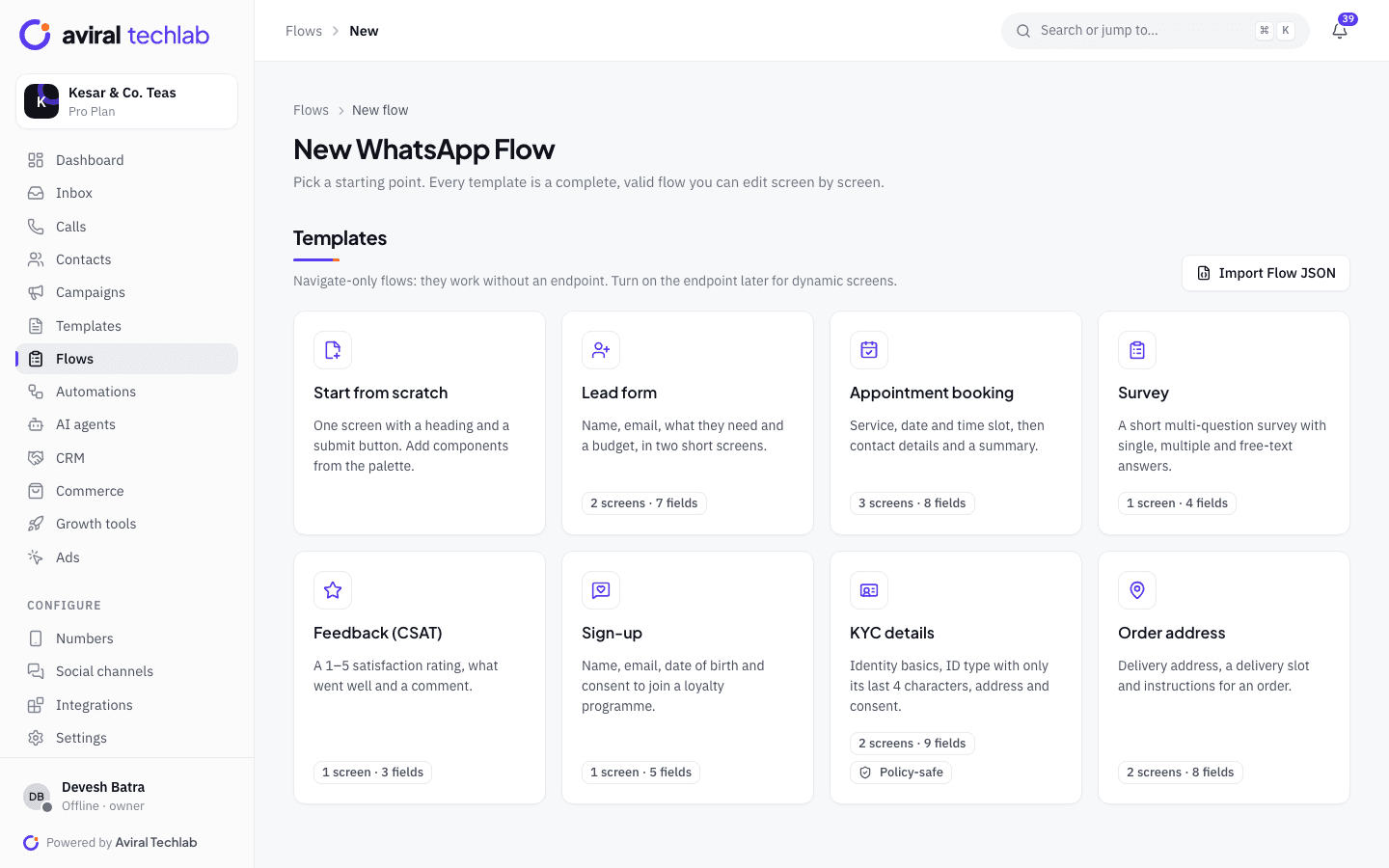
Start from the KYC details Flow template. It asks for identity basics, an ID type with only the last four characters, an address and consent. Add photo or document upload steps where you need them. Answers are saved on the contact, and you can notify a person or assign a team when someone submits. Fields you mark as sensitive are masked in the summary the customer sees in the chat.
- Template limits ID numbers to the last four characters
- Photo and document upload components in the builder
- Responses listed per Flow, with CSV export
Renewals and due dates
Reminders that use the right template category
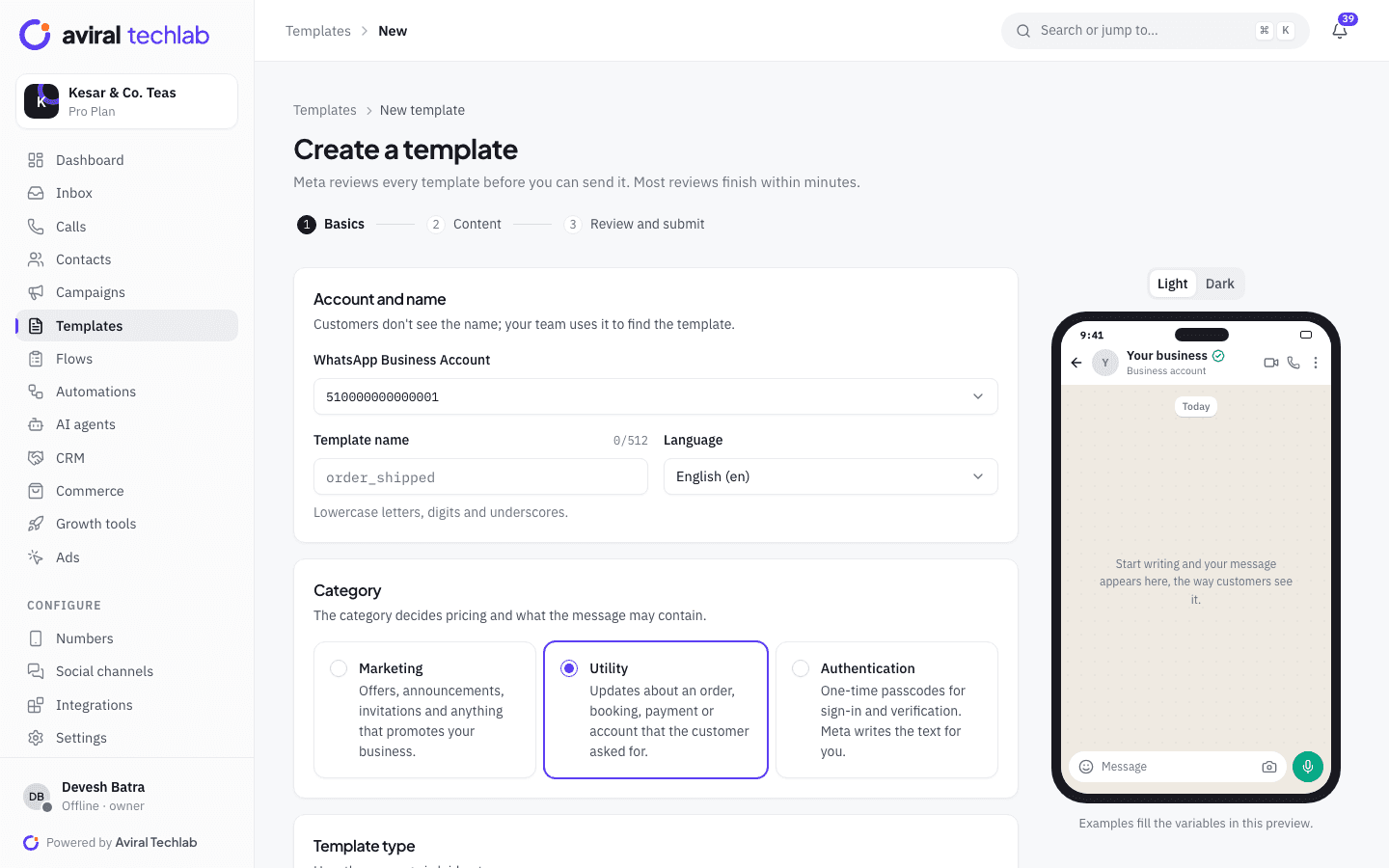
Renewal notices and due-date reminders about an existing policy or loan are normally utility templates. Offers and cross-sell are marketing templates, which cost more and face stricter review. Build each in the template builder with a live preview, fill names, policy numbers, amounts and due dates from contact fields, and schedule the send or repeat it monthly with a recurring campaign. Meta restricts some financial products and services, so read its current policies for your product before you build campaigns.
- Variables filled from each contact’s fields
- Payment link or quick-reply button in the same message
- Meta’s review status and rejection reason on every template
Consent
Ask for consent, record it and honour a stop request
Ask for opt-in in the chat, on your website or on a paper form, and record it. The opt-in collection automation stores the choice with an audit trail and tags the contact. Customers who reply with an opt-out keyword such as STOP are excluded from future sends. Keep your own records of consent as well.
- Opt-in status and its source on every contact
- Opt-out keywords honoured on every campaign
- Data retention and chat export settings
Team and records
A shared inbox that shows what is waiting
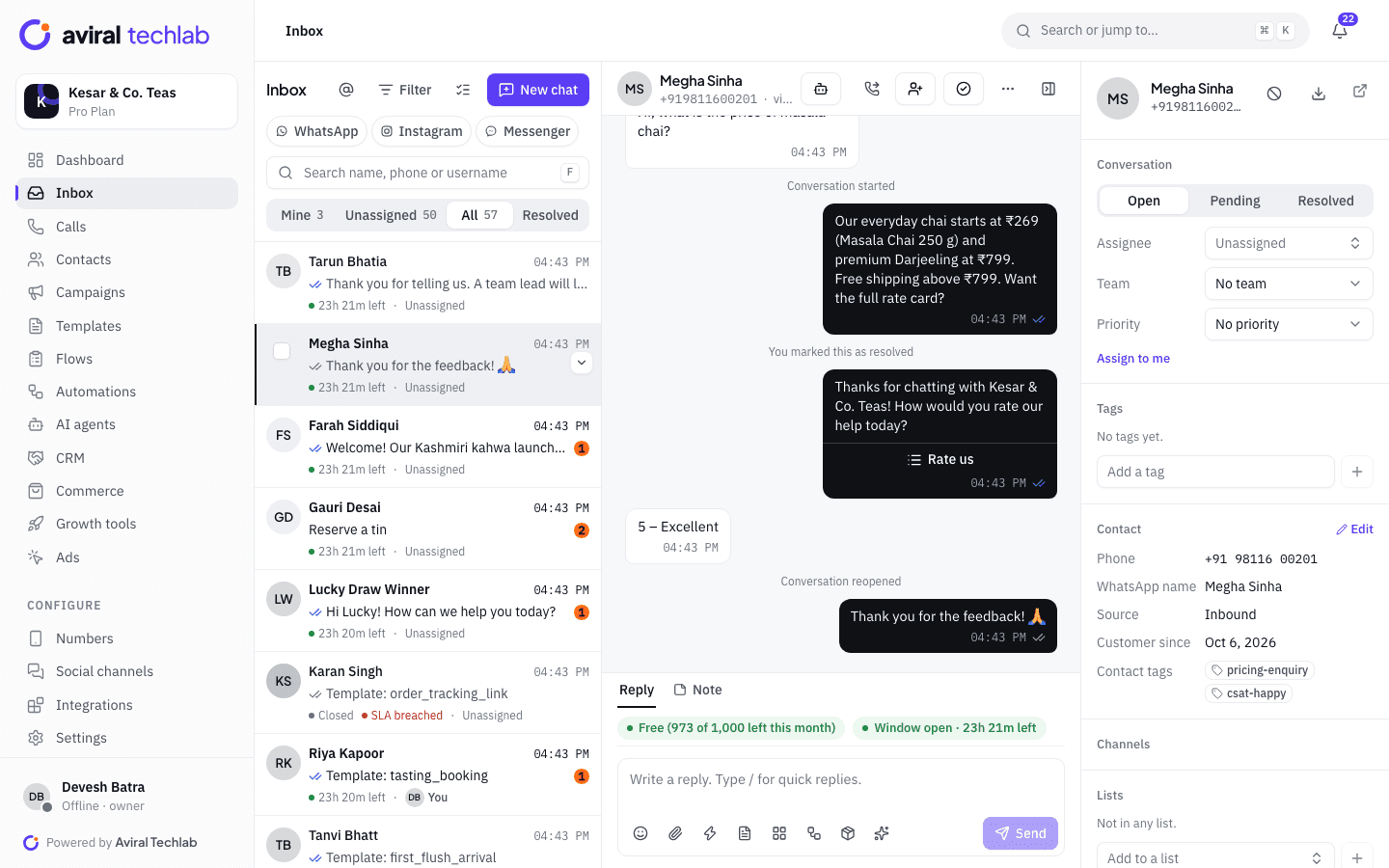
Every chat has an owner, a status and a response timer, so managers can see which customers are waiting. Assign by team, add internal notes, and transfer a chat with a note when it needs a licensed colleague. Roles control who can see which chats, and any chat can be exported for your records.
- First-response and resolution targets with breach alerts
- Internal notes and transfers with context
- Audit log of changes to roles and settings
A policy renewal, step by step
The same pattern fits instalment reminders and annual document reviews.
- 1
Reminder with consent
A utility template goes to customers who opted in, a few weeks before the renewal date, with buttons to renew or speak to an advisor.
- 2
Details and documents
The customer taps the button and fills a WhatsApp Flow. Answers and uploads are saved on the contact and the advisor is notified.
- 3
Quote and follow-up
The advisor replies in the same chat. If there is no reply, a short sequence follows up and stops as soon as the customer answers.
Other workflows financial teams run
Most of these start from a ready-made Flow, automation or integration.
Outstanding invoice reminders
Connect Zoho Books or Tally, pick unpaid invoices or outstanding bills and send a reminder with the PDF on WhatsApp.
Lead capture from ads and forms
Click-to-WhatsApp ads and website buttons open a chat, a lead form Flow collects details, and a deal opens for an advisor.
Document collection for tax and accounts
Practices that collect bank statements or tax documents each year can use a Flow with file upload instead of a long email thread.
Service requests
Customers ask for a copy of a document or a status update, and the request lands as a chat with the right team.
FAQ assistant with handoff
An AI agent answers factual questions such as documents required and branch timings from your content, and hands advice questions to a person.
Agents and branches
Give each branch or advisor a number or a team, and use roles to keep their customers’ chats separate.
Frequently asked questions
Can I collect KYC documents over WhatsApp?
A WhatsApp Flow can include photo and document uploads. Whether you may rely on WhatsApp for KYC depends on your regulator and your own policies, so check before you replace an approved process. Collect the minimum, keep full ID numbers out of chat messages and mark sensitive fields so they are masked in the chat summary. We provide the tools, not compliance advice.
What does Meta allow financial businesses to send?
Meta applies its Business Messaging Policy and Commerce Policy to every business and restricts some financial products and services. Review the current policies for your product before you build campaigns. Renewal notices and payment reminders about an existing relationship are normally utility templates, and promotions are marketing templates. Meta decides each template’s category.
Can the AI agent recommend products or give financial advice?
It should not. Set it up for factual questions such as documents required, branch timings and how to reach an advisor, let it answer only from content you provide, and hand any advice question to a licensed person. We do not review the content you send.
How do we prove that a customer opted in?
Each contact stores its opt-in status and where it came from. The opt-in collection automation records consent with an audit trail, and imports ask for the opt-in source. Keep your own records too, such as the signed form or the web page that collected consent.
Does it work with Tally and Zoho Books?
Yes. Zoho Books connects with OAuth, and Tally connects through the Aviral Tally Connector on your own computer. Both let you pick unpaid invoices or outstanding bills and send a reminder on WhatsApp with an approved template, optionally with the invoice PDF.
Bring customer paperwork into WhatsApp
Book a 20-minute walkthrough. We will connect your number and set up a document form and reminder template with you.