For schools, coaching institutes and colleges
From the first enquiry to the fee receipt, on WhatsApp
Reply to ad enquiries at once, route each lead to the right counsellor, book demo classes and send fee reminders with a payment link. Parents and students are already on WhatsApp, so there is no new app to install.
Ad enquiries answered at once
A click-to-WhatsApp ad opens a chat with a welcome message, a few questions, and a lead waiting for your counsellors.
Demo classes booked in the chat
Parents choose a date and time in a WhatsApp Flow. Taken slots disappear, so two families never get the same one.
Fee reminders with a payment link
Fill the student’s name, amount and due date into a template, and include a Razorpay or PayU payment link where it helps.
Built around the admission calendar
Enquiries arrive in bursts after an ad or an open day. The platform replies first, qualifies the lead and puts it in front of the right counsellor.
Admission enquiries
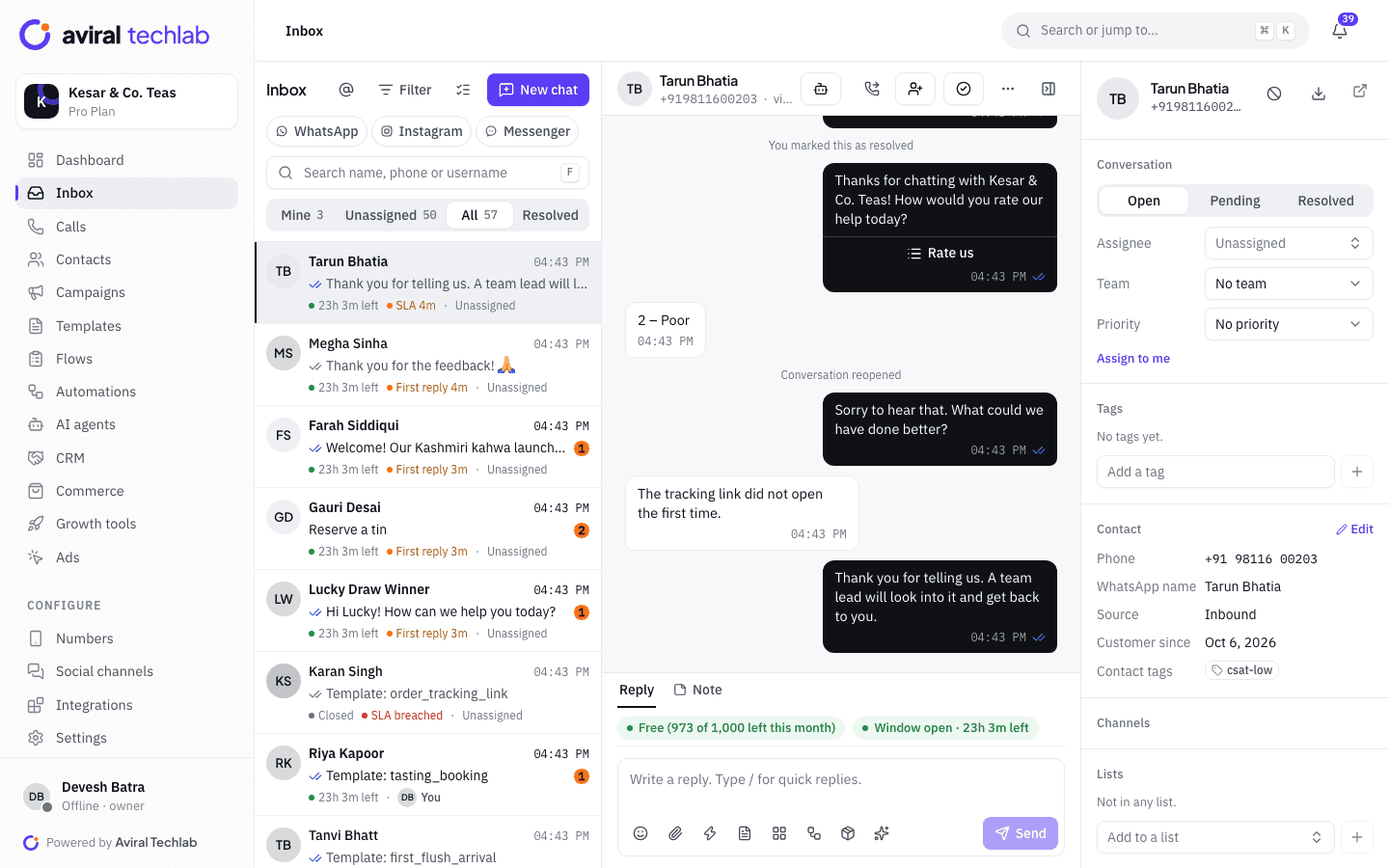
Capture every enquiry and route it to a counsellor
When someone messages from your ad, an automation greets them, asks the questions you choose, such as the student’s name, class and city, saves the answers on the contact and opens a deal in your pipeline. Assignment rules then route the chat by keyword, tag or team, so every counsellor gets a fair share. Messages that arrive after hours get an automatic reply and wait for your team in the morning.
- Round-robin or load-balanced assignment within a team
- Every counsellor sees the full chat history and internal notes
- Ad, source and tags shown on the contact panel
Demo classes and counselling slots
Let parents book a demo class without a phone call
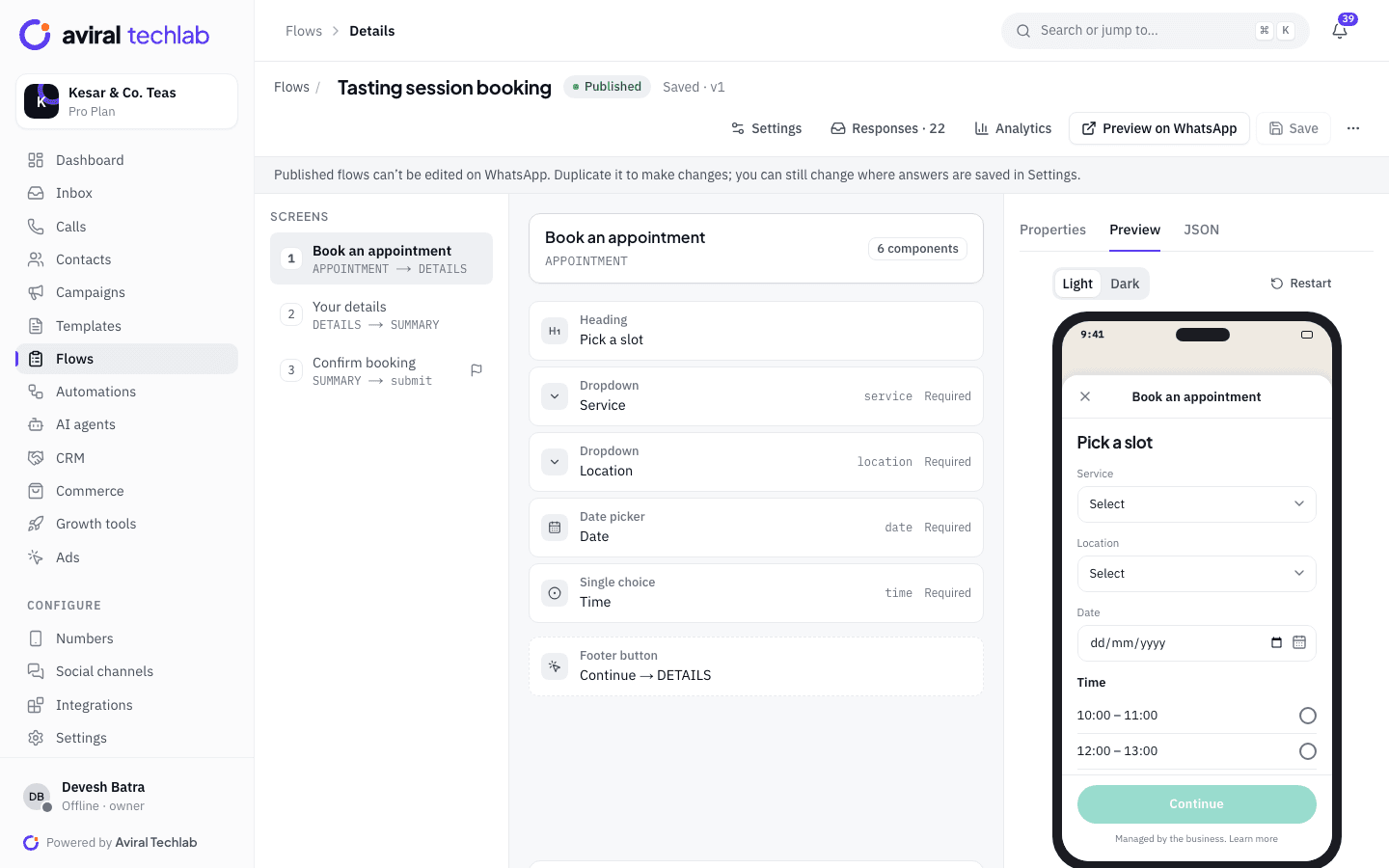
A WhatsApp Flow shows a date picker and only the time slots that are still free. When the parent submits, the booking is saved on the contact. You can see every booking in one list, cancel one and message the parent from the same screen. Send the Flow from a template button, a chatbot or the inbox.
- Live slots: full times cannot be booked twice
- Answers saved as contact fields for the counsellor
- Completion rate and drop-off by screen for every Flow
Fees and payments
Fee reminders that carry the payment link
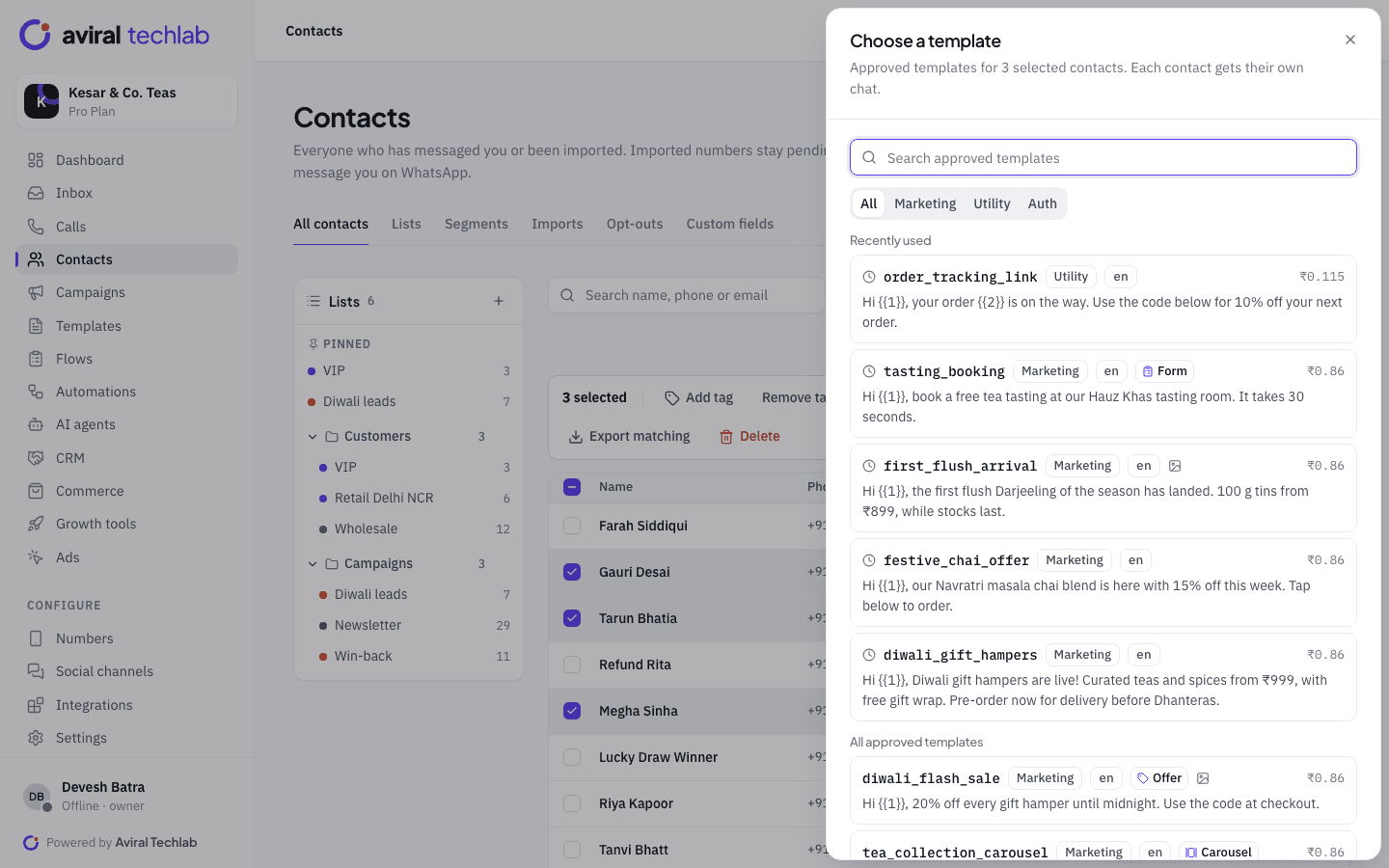
Import students and parents from a CSV with your own fields, such as amount due and due date, then send an approved utility template with those values filled in. A drip sequence can follow up on a schedule, including a payment link for a fixed amount such as a registration fee, and it stops as soon as the parent replies. Payments go through your own Razorpay or PayU account.
- Template variables filled from each contact’s fields
- Sending windows by weekday and time zone, so nothing arrives at night
- Replies land in the shared inbox, not a personal phone
Parent and student updates
Send updates to the right class, not to everyone
Group contacts into lists and segments by class, batch or branch, then send approved templates for timetable changes, results, holidays and events. Schedule the send, set quiet hours and a frequency cap, and see delivered, read and replied counts for every broadcast. Parents reply in the same chat, and your staff answer from the shared inbox.
- Segments built on contact fields and tags
- Opt-out keywords such as STOP are honoured automatically
- Retarget parents who read a message but did not reply
From first message to enrolled student
Each stage hands over to the next without anyone copying details between tools.
- 1
Enquiry
An ad click or a message to your number opens a chat. The welcome flow asks the student’s name, class and city, and tags the lead.
- 2
Counselling and demo
A counsellor takes the chat, books the demo class from a Flow and sees every earlier message and note.
- 3
Admission and fees
The deal moves through your pipeline stages. Fee reminders go out with a payment link, and parents receive class updates from then on.
Other workflows institutes use
Most start from a ready-made automation or Flow template and change the questions.
Open day and webinar registration
Let people pick a session in the chat, save the registration to Google Sheets and send a confirmation template that reaches them after the 24-hour window.
Callback requests
A callback Flow lets a parent choose a topic and a good time. The answer is saved on the contact, the chat goes to your team and the right person is notified.
Results and timetable announcements
Broadcast a template to a batch or a branch, with read and reply counts to see who still needs a nudge.
Term feedback
Run a feedback or NPS survey inside WhatsApp, and alert the team when a score is low.
Answers in Hindi and Hinglish
An AI agent answers fee, syllabus and timing questions from your website, brochures and FAQs, and hands over to a counsellor when it is unsure.
Leads in your spreadsheet
Send each new enquiry to the Google Sheet your admissions team already uses, as a row per lead.
Frequently asked questions
Can enquiries from different ads go to different counsellors?
Yes. An automation can start only for specific ads, then assign the chat to a team or a person. Assignment rules also route by keyword and tag, with round-robin or load-balanced assignment inside a team.
Can we send fee reminders to all parents at once?
Yes, with an approved template and a segment. Parents need to have opted in. A reminder about an existing payment is normally a utility template, but Meta makes the final decision on the category, and each delivered message is charged at Meta’s rate.
How do we collect consent from parents?
Collect opt-in on your admission form, your website or in the chat itself with the opt-in collection automation. The opt-in is recorded with an audit trail, and opt-out keywords are respected. You remain responsible for having consent, so keep your own record too.
Does it work in Hindi and regional languages?
Templates can be written in any language WhatsApp supports. AI agents reply in Hindi, Hinglish, English and nine other Indian languages, including Marathi, Tamil and Bengali, matching the language the parent writes in.
Can several branches use one account?
Yes. Each branch can have its own number and team within your plan’s number limit, and roles decide who sees which chats.
Explore more
Set up your admission desk on WhatsApp
Book a 20-minute walkthrough. We will connect your number and build your first enquiry and demo-class flow with you.