For support and customer success teams
Support your customers where they already message you
Give every customer chat an owner, a timer and the full history. Let an AI agent and chatbots answer the routine questions, and hand over to a person with all the context when it matters.
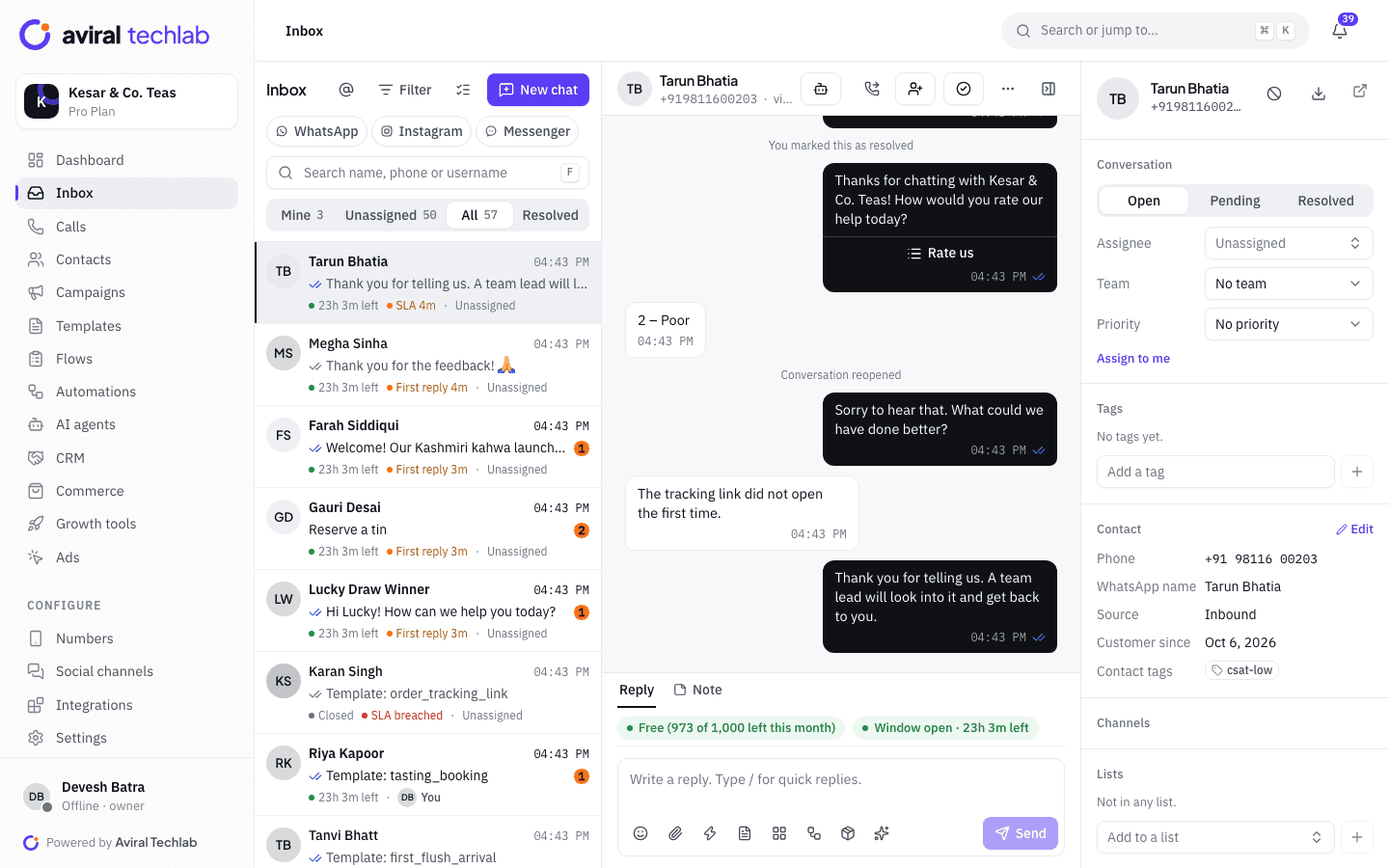
One inbox for every channel
WhatsApp, Instagram and Messenger chats sit together, with assignment, notes, transfers and saved replies.
SLAs your team can see
Set first-response, next-response and resolution targets per team. Timers show on every chat, with warnings before a breach.
AI agent with a clean handoff
Answers from your knowledge base, looks up orders, and hands the chat to a person when it is unsure or the customer asks.
A support desk that fits on WhatsApp
Customers write when it suits them, in short bursts. These tools keep the conversation organised on your side.
Routing and SLAs
Every chat has an owner and a clock
Assignment rules route new chats by keyword, tag or number, using round-robin, load-balanced, sticky or fixed assignment. SLA policies set targets by team, channel and priority, show the time left on each chat and send a warning before a breach. A business-hours schedule and an away message cover the night.
- First-response, next-response and resolution targets
- Resolution timer pauses while a chat is snoozed or pending
- Teammate presence shown, so two agents do not answer one chat
AI agent
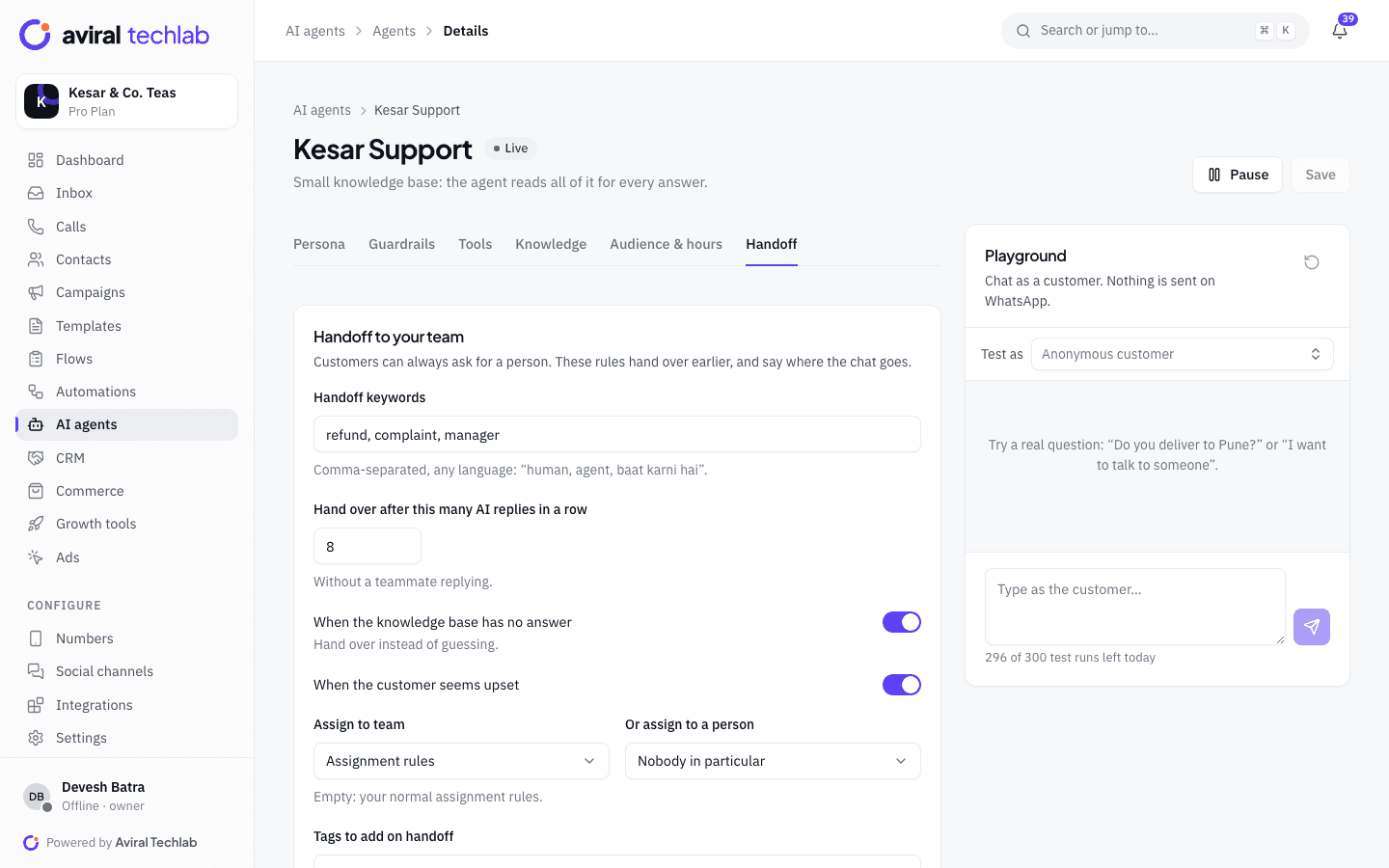
Let AI take the routine questions, with a person behind it
An AI agent answers from the sources you choose, such as your website, files and FAQs, and can look up an order. You set the topics it must hand over, such as complaints and refunds, and a limit on how many replies it gives without a person. Every handoff keeps the chat history, tags the chat and routes it through your normal assignment rules.
- Replies in Hindi, Hinglish, English and nine other Indian languages
- Handoff on request, on upset customers, or when the answer is not in the knowledge base
- A playground to test answers, and a review queue for unanswered questions
Chatbots and menus
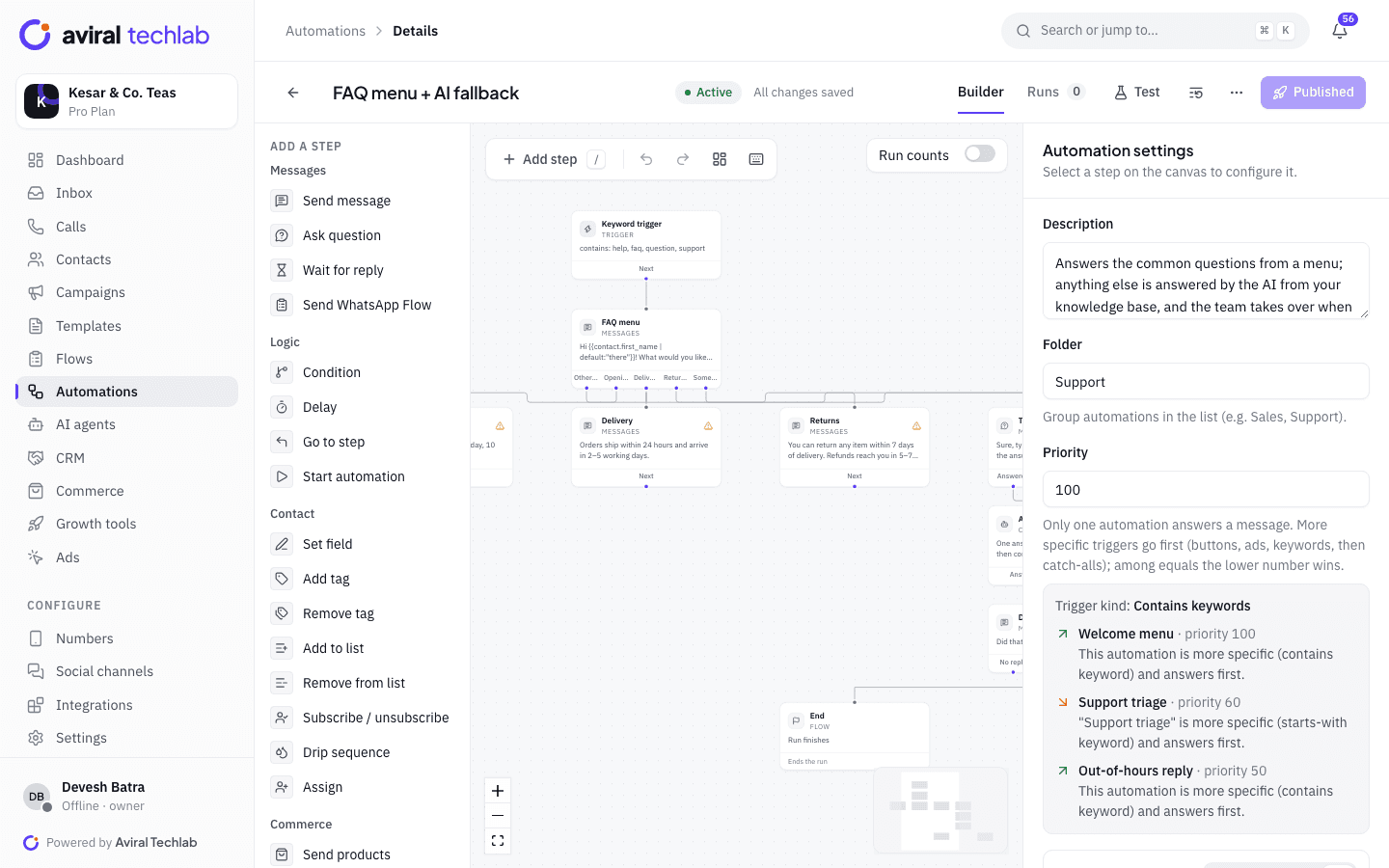
Answer the top questions without an agent
Build a menu in the flow builder for delivery, returns, store timings and order status. Anything outside the menu can go to the AI agent, and anything the bot cannot settle goes to a person, with a task and a tag so it is not lost. Every automated message is saved in the conversation, so agents see what the customer saw.
- Ready-made FAQ menu, order status and return request flows
- Branch on tags, fields, business hours and replies
- Test the flow in a simulator before it goes live
Feedback
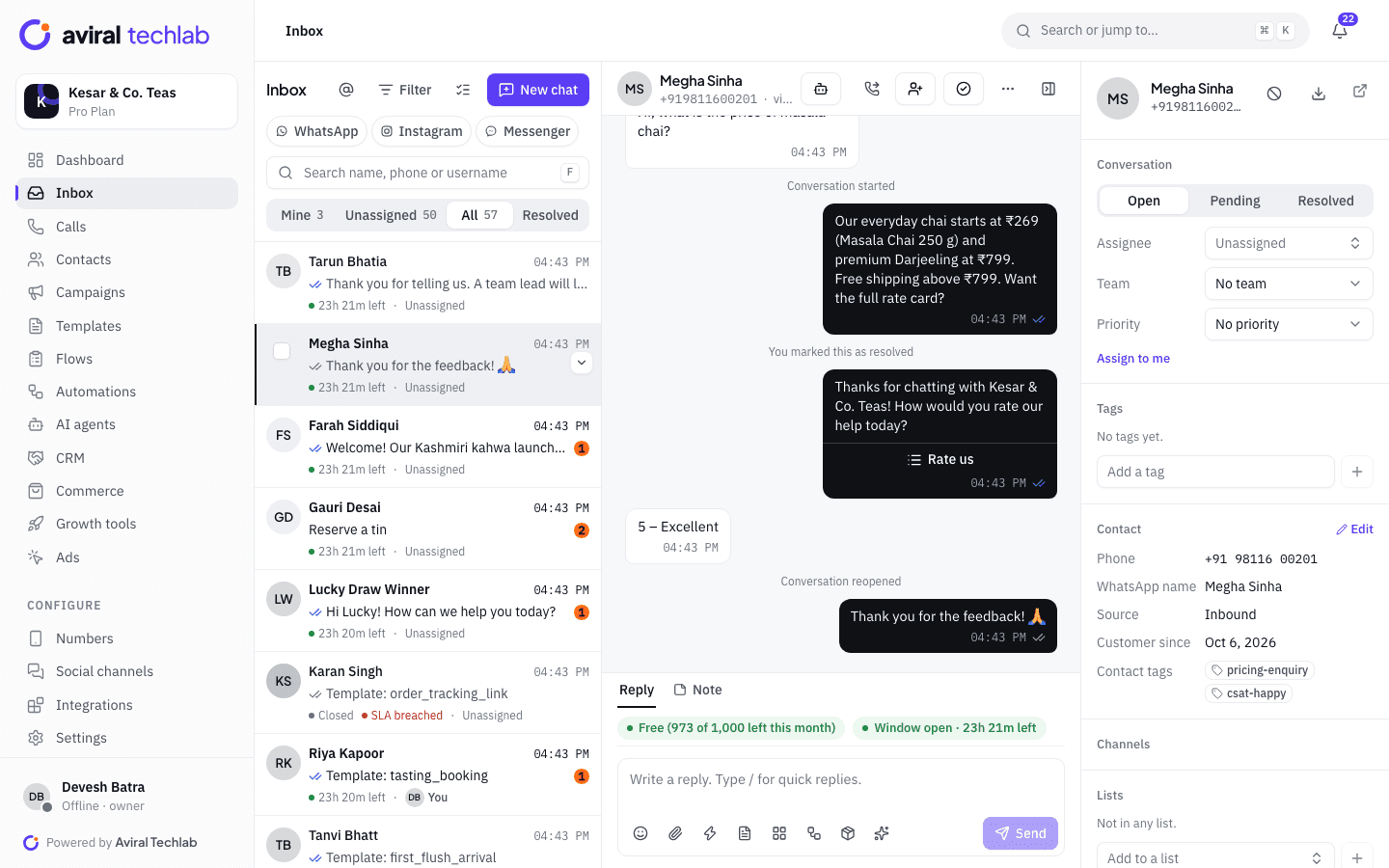
Ask how it went, and act on a bad score
When a chat is resolved, a CSAT survey goes out after the delay you set, as three reply buttons, a five-point list or your own approved template. Scores are reported by agent and by team. A feedback automation can alert a manager and tag the customer when a rating is low.
- Survey after resolution, with an exclusion for tagged chats
- CSAT by agent and by team
- Low-score alerts and tags through an automation
A support request, from message to rating
Automation takes the first turn, and a person takes over whenever it matters.
- 1
The customer writes
A menu or the AI agent answers the routine questions. Outside business hours, an away message sets the expectation.
- 2
A person takes over
If the customer asks, or the answer is missing, the chat is assigned to the right team with the history, tags and a response timer.
- 3
Resolved and rated
The agent resolves the chat, a CSAT survey follows, and the score appears in reports by agent and team.
Support workflows teams set up first
Each of these starts from a ready-made automation or an AI agent template.
Order status and tracking
Look up an order from your store and answer with status, payment and tracking, without an agent.
Returns and refunds
Collect the order number and a photo, create a task for the returns team and route the chat to them.
Out-of-hours cover
Reply outside business hours with your opening times, and let people leave details to be picked up in the morning.
Callbacks and voice calls
Offer a callback form, or handle WhatsApp voice calls from the same inbox so the call sits in the chat history.
Warranty and service bookings
Book a service visit from a WhatsApp Flow with live slots, and see each booking next to the chat.
Team reporting
Track median first reply and resolution times by agent, watch SLA compliance, and send a scheduled report to managers.
Frequently asked questions
Can several agents answer from one WhatsApp number?
Yes. Each agent signs in with their own login and works from the shared inbox, within your plan’s seat limit. The inbox shows when a teammate is viewing a chat, and every reply records which agent sent it.
How does the AI agent know when to hand over?
You set the rules: handoff keywords, topics such as complaints and refunds, a limit on consecutive AI replies, handoff when the knowledge base has no answer, and handoff when the customer seems upset. Customers can also ask for a person at any time. The chat then goes through your normal assignment rules.
Will the AI make up answers?
The agent answers only from the sources you attach and cites the page when there is one. When the answer is not there, it can hand over instead of guessing. You can test it in a playground that sends nothing to customers and review its answers in a queue. No AI is perfect, so keep handoff rules for anything that carries risk.
What is the 24-hour window for support?
After a customer messages you, you have 24 hours to reply with any message. After that, WhatsApp requires an approved template. The inbox shows the time left on every chat, and switches to template mode when the window closes.
Can we keep records and export chats?
Yes. Chats can be exported, data retention is configurable, and the audit log records changes to roles and settings. Roles decide which agents can see which chats.
Run your support desk on WhatsApp
Book a 20-minute walkthrough. We will connect your number and set up routing, SLAs and your first chatbot with you.