See what WhatsApp costs, how fast you reply and what it earns
One place for conversations, response times, campaign results and Meta charges, with a drill-down from every number to the chats behind it.
Cost, estimated per message
Spend by category, number and template, with the free service-message allowance tracked for you.
Agent scorecards
Chats resolved, first reply time, CSAT and SLA compliance for each person and team.
Campaign and bot results
Delivery funnels for broadcasts and completion rates for automations, drips and flows.
Reports in your inbox
Email a summary to your managers on a schedule, and export any report to CSV or Excel.
The numbers a WhatsApp business actually manages by
Every figure comes from your own chats, campaigns and bills. Click a number and see the conversations behind it.
Cost
Know what Meta will charge before the invoice
WhatsApp is billed per delivered message, by category and country. The cost report estimates your spend from Meta’s rate card, split by marketing, utility, authentication and service messages, so a busy campaign week is not a surprise.
- Spend by category, by number and over time
- Top templates by spend, to find the expensive ones
- A meter for the free service messages left on each number
- Your Meta invoice stays the final figure
Team performance
Coach the team with facts, not feelings
Each agent gets a row: chats assigned and resolved, median first reply, average resolution time, CSAT and the share of chats that met their SLA. Compare with the previous period to see who improved.
- Break results down by team, label, number or channel
- Replies are attributed to the person who actually sent them
- CSAT collected from customers when a chat is resolved
Results of everything you run
Every feature reports on itself
Campaigns show delivery, reads, replies and spend. Chatbots show runs, completion and failures. WhatsApp Flows show completion and drop-off. AI agents show chats resolved, handed over and rated, so you know what to fix next.
- Campaign funnel and per-template performance over time
- Automation runs, completion rate and failed runs, plus drip sequences
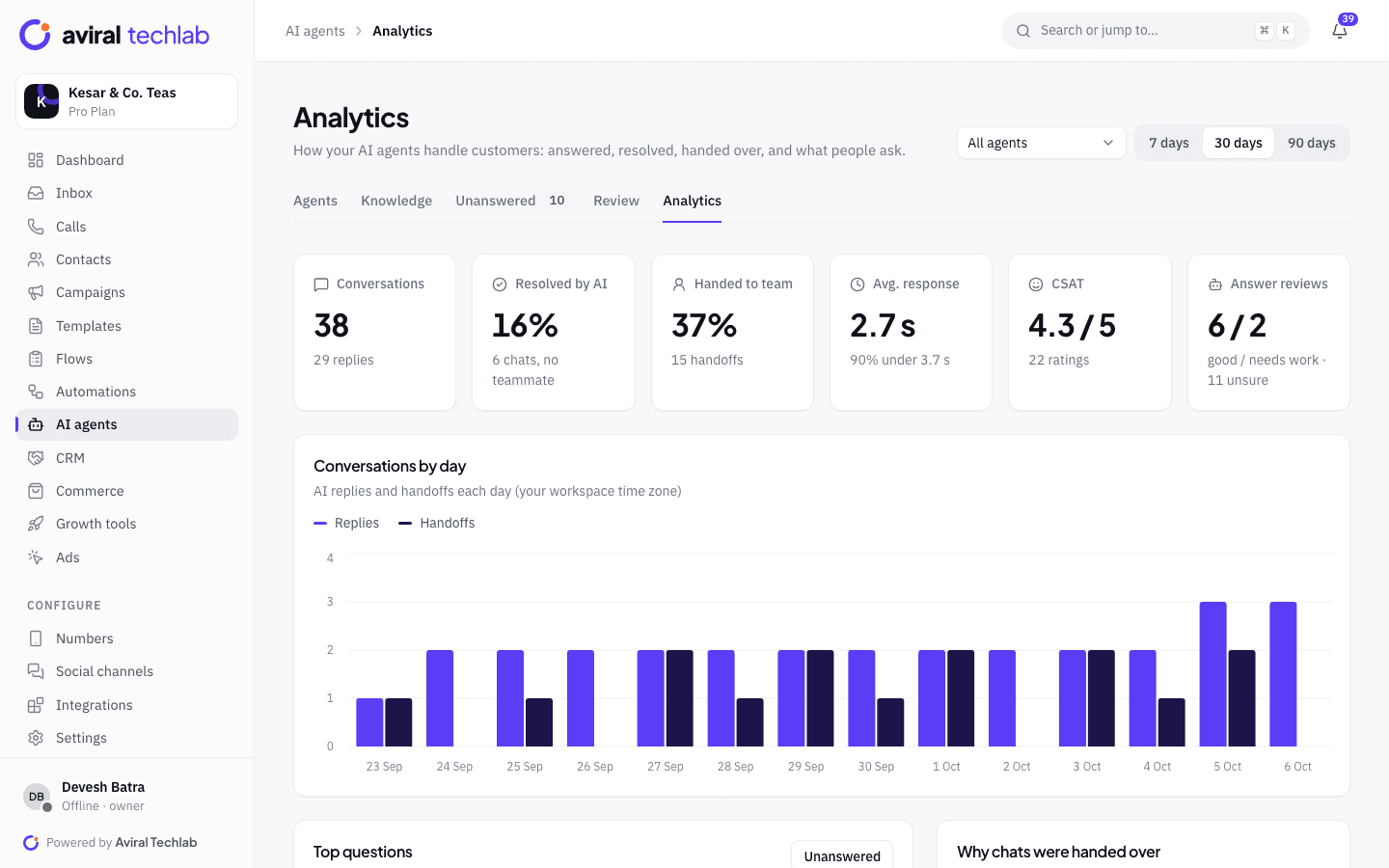
- AI agents: replies, resolved by AI, handoffs, response time and CSAT
Reports
Send the summary to the people who need it
Schedule a daily, weekly or monthly email with the sections you choose, and send it now to check how it looks. Export any report as CSV or Excel when you want to work in your own sheet.
- Sections for overview, agents, cost and campaigns
- Recipients are team members who may view analytics
- Reports with several tables download as an Excel workbook, or a zip of CSV files
Slice it the way you think about the business
The same data, filtered to the question you are asking.
- Overview
- Conversations opened and resolved, messages in and out, median first response, average resolution time, resolution rate, CSAT, active contacts and estimated spend.
- Compare with before
- Switch on a comparison with the previous period and every key figure shows how much it moved.
- Drill into the chats
- Open any figure to see the conversations, messages or CSAT responses that make it up, instead of guessing from a chart.
- Busiest hours
- A heatmap of incoming messages by weekday and hour shows when to staff the inbox and when to send broadcasts.
- Filters
- Narrow by date range, WhatsApp number, channel and team. Spend is shown for all teams together, because Meta bills per number.
- Break down by
- Group conversations by team, label, number or channel, and compare opened with resolved over time.
- Template performance
- See sent, delivered, read and clicked for each template over time, so you keep the ones that work.
- API access
- Read ad performance, conversions and CSAT responses through the REST API to feed your own dashboards.
Frequently asked questions
Is the cost report the same as my Meta bill?
It is an estimate. The platform prices each delivered message from Meta’s published rate card by category and country, so it is close, but your Meta invoice is the final figure. The report is meant to show where the money goes while the month is still running.
What does first response time measure?
The time from a new chat starting to the first reply from a person on your team. We show the median, so one slow chat does not distort the number, and we credit the agent who actually replied.
Can I export the data?
Yes. Every report exports to CSV or Excel. Reports with several tables, such as the overview and cost, download as one Excel workbook or a zip of CSV files.
Who can see cost and performance?
Roles control it. Give analytics access to managers and owners, and keep it away from agents who only need the inbox. Scheduled reports go only to team members who are allowed to view analytics.
Which messages are free?
Meta decides, and the rules change. The cost report tracks the free service messages left on each number and treats chats started from click-to-WhatsApp ads accordingly, so you do not have to count them yourself.
See it working with your own number
Book a 20-minute walkthrough. We’ll connect your WhatsApp Business account with you and set up your first automation.