For travel agencies, tour operators and hotels
From trip enquiry to itinerary to payment, in one chat
Collect the trip details up front, send the itinerary and quote as a PDF, take the deposit with a payment link and keep every traveller’s history in one shared inbox.
Trip details before an agent opens the chat
An automation asks for destination, dates and travellers, saves the answers and opens a deal for the right specialist.
Itineraries and quotes as files
Send PDFs, photos and saved replies from the shared inbox, with notes and mentions to pull in a colleague.
Deposits and balances by payment link
Create a link for any amount up to what is owed, through your own Razorpay or PayU account, and see when it is paid.
Every stage of a booking, on the number travellers already have
Travel enquiries are long conversations with files, changes and payments. They fit a shared chat better than a string of calls and emails.
Enquiries
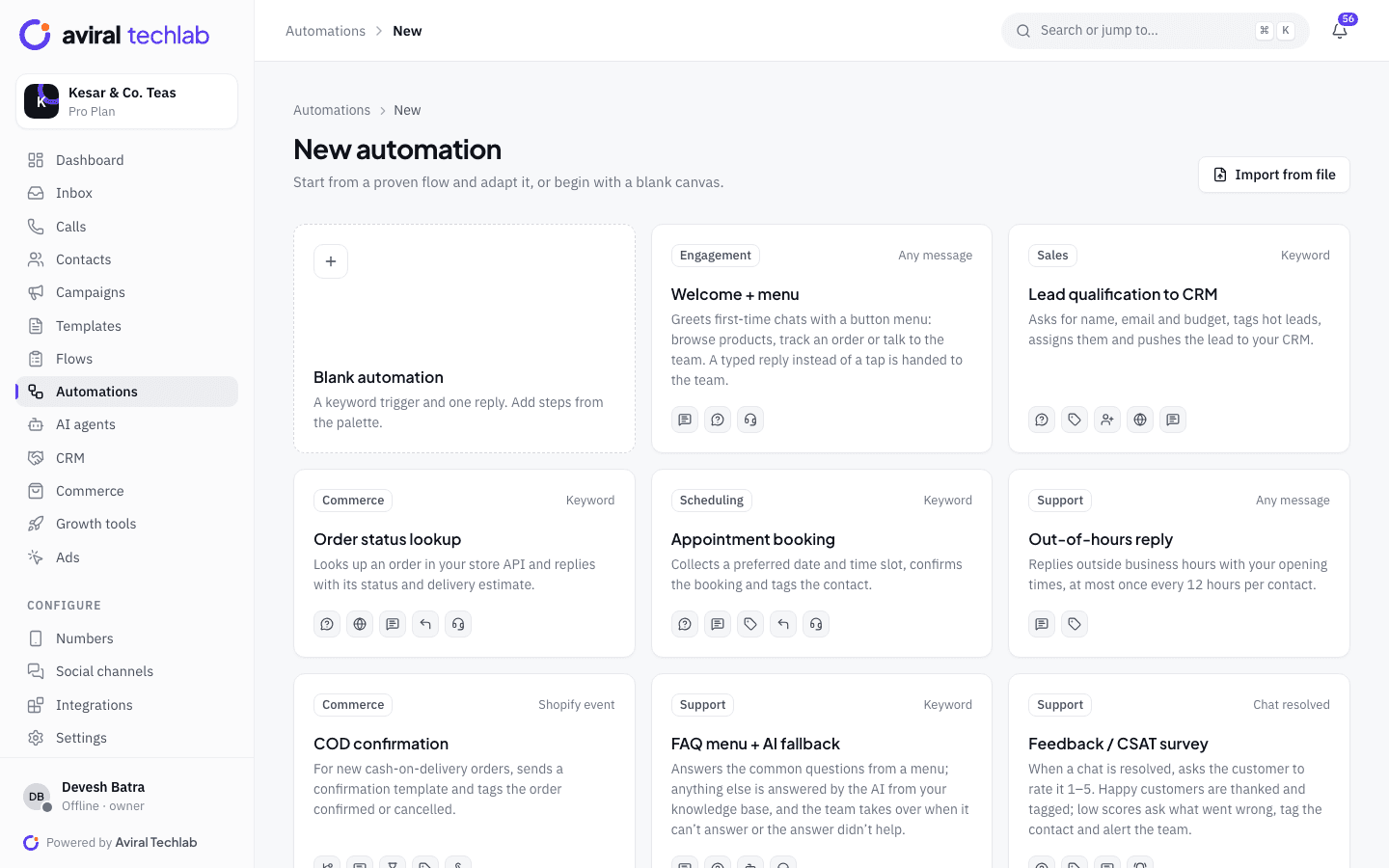
Qualify the trip before a person picks it up
When someone messages from an ad or your website, an automation asks for the destination, dates and number of travellers, saves the answers on the contact and opens a deal in your pipeline. Assignment rules send the chat to the specialist team for that destination, so your best agents spend time on real enquiries.
- Questions with buttons, so travellers answer with a tap
- Tags and fields saved on the contact
- Route by keyword, tag or team with round-robin assignment
Itinerary and quote
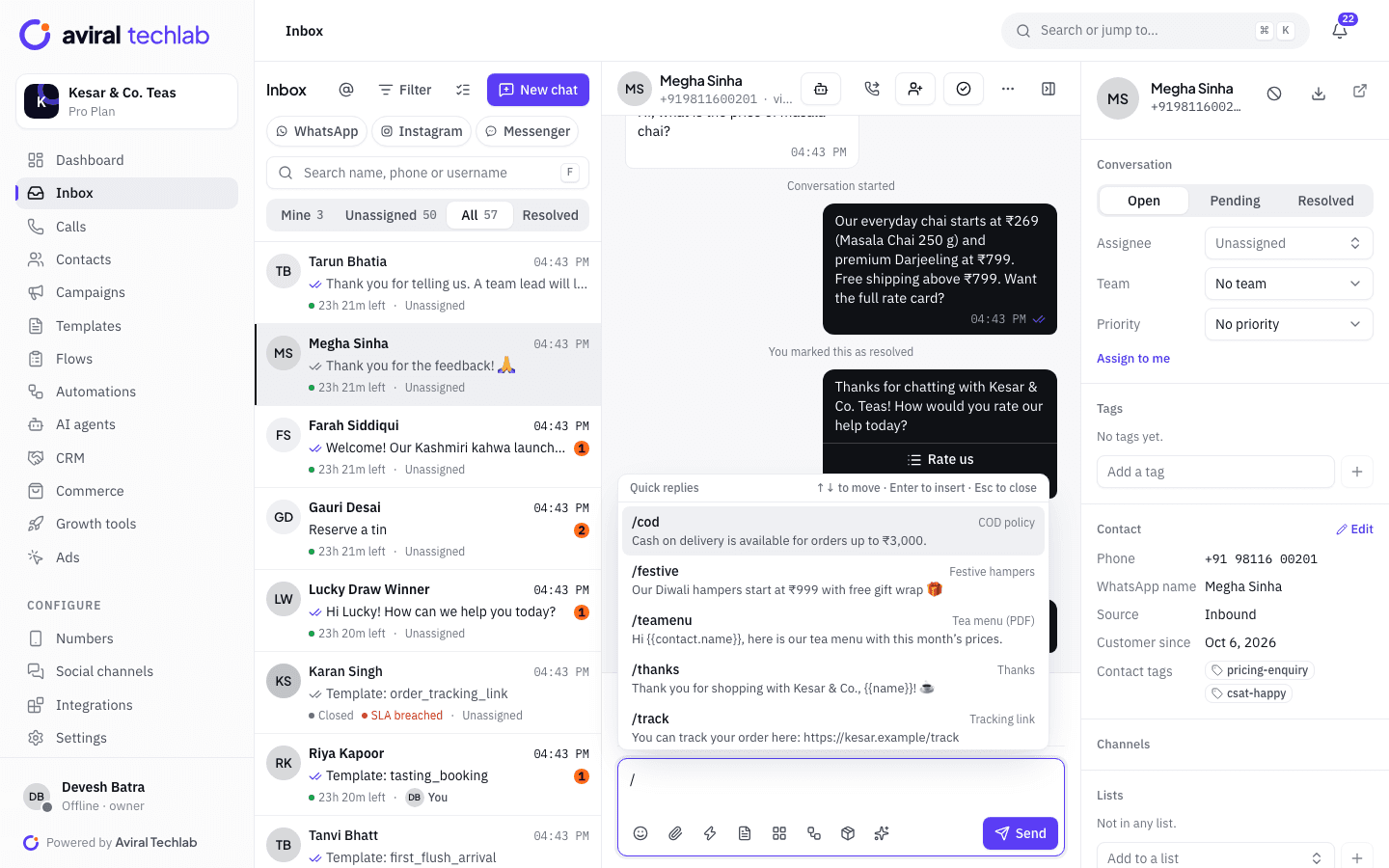
Answer fast, with the right file
Agents attach the itinerary PDF, hotel photos and the quote in the chat. Saved replies handle the questions that come up every day, such as inclusions, visa help and payment terms. Internal notes and @mentions bring a destination specialist in without the traveller seeing it. Each enquiry sits in a deal that moves from enquiry to booked.
- Type / to insert a saved reply with variables
- Private notes and mentions inside the chat
- Pipeline stages, tasks and reminders for follow-ups
Payments
Take the deposit, then chase the balance
Send a payment link for the deposit, with an expiry, and a separate one for the balance. Payments go through your own Razorpay or PayU account. When a payment is captured, an automation can send the confirmation and move the deal to booked. Open links get automatic reminders on the schedule you set.
- Partial payments up to the amount still owed
- Payment received can trigger a message and move the deal
- Refunds recorded, with a confirmation template
Repeat travel
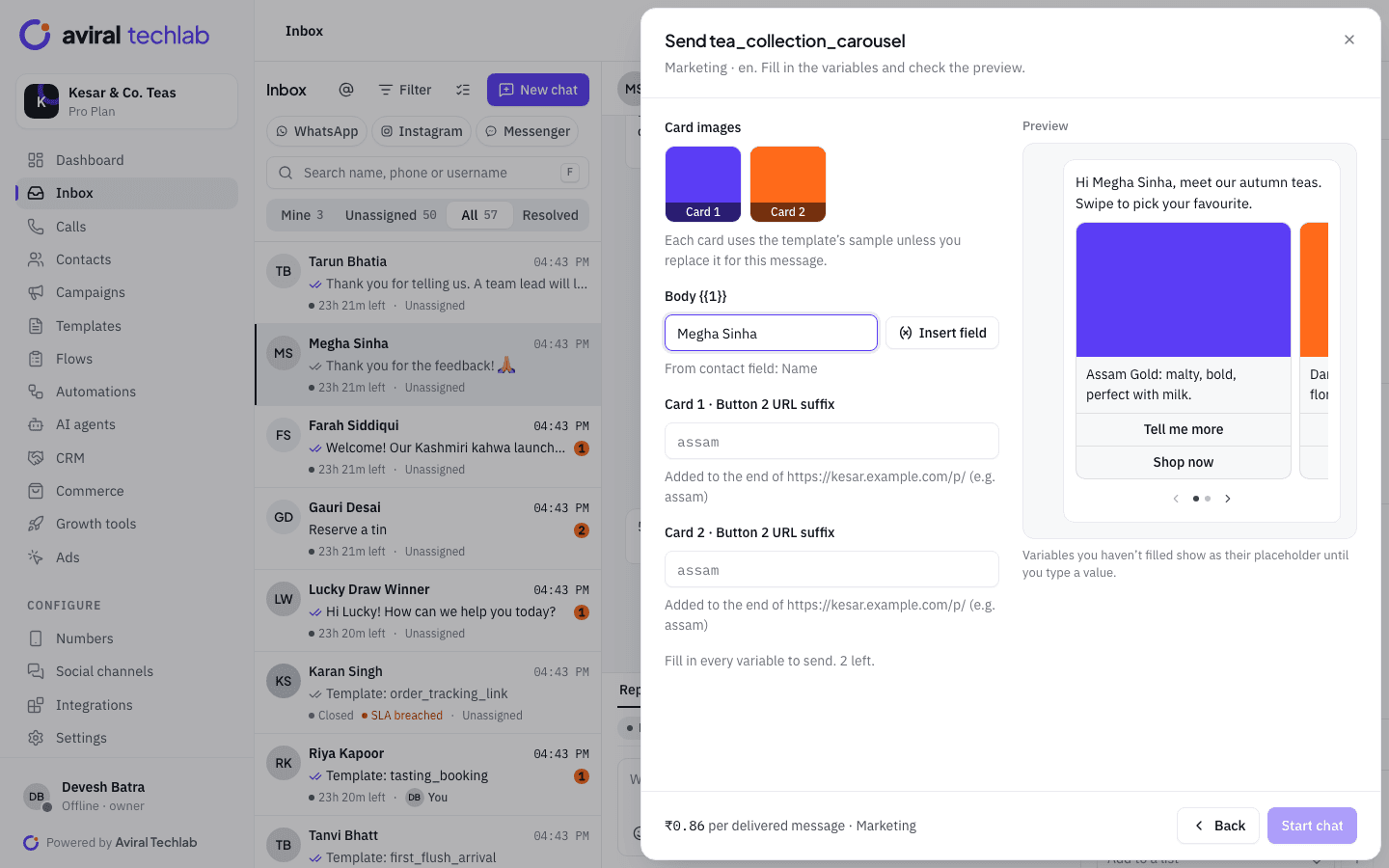
Tell past travellers about the next departure
Send a carousel template with destinations, dates and prices to people who travelled with you or enquired about a similar trip. Each card can have a button to chat or open your site. Set a frequency cap and quiet hours, and see read and reply counts for every send.
- Segments built on tags and contact fields
- Limited-time-offer templates for last-minute seats
- A feedback request after the trip
From enquiry to confirmed booking
The traveller stays in one conversation while your team and your automations take turns.
- 1
Enquiry
An ad click, a website chat button or a message to your number opens the chat. The flow asks for destination, dates and travellers.
- 2
Itinerary and quote
The specialist sends the itinerary and quote, answers questions with saved replies and keeps notes for the team.
- 3
Payment and confirmation
The deposit link is paid, the confirmation goes out, and the deal moves to booked. A balance link and reminder follow.
More ways travel businesses use WhatsApp
Hotels, resorts and tour operators start from different templates and flows.
Hotel and resort guests
Send check-in details before arrival, take table reservations with a Flow, and ask for feedback after checkout.
Traveller details
Collect names, dates and documents in a WhatsApp Flow instead of the chat, including file uploads where you need them.
Group departures
Announce fixed departures to a list, and move people who reply into a deal for the group coordinator.
Ad enquiries by destination
Run a welcome flow per ad, so a Goa ad and a Himachal ad each ask the right questions and reach the right team.
Answers in many languages
An AI agent answers common questions from your itineraries and FAQs in Hindi, Hinglish, English and nine other Indian languages.
Agent and branch desks
Give each branch or sub-agent a number or a team, with roles that control which chats they can see.
Frequently asked questions
Can I send itineraries and quotes as PDFs?
Yes. Inside the 24-hour window agents can attach a PDF, images and other files to a normal reply. For a first message, or after the window, use an approved template with a document header.
Can customers pay a deposit and the balance separately?
Yes. Create a payment link for each amount, up to what is still owed on the order. Links go through your own Razorpay or PayU account, can expire, and get automatic reminders while they are open.
Can I collect passport or ID details safely?
Collect only what you need. A WhatsApp Flow can ask for names, dates and document uploads on a form instead of in the chat, and you can mark fields as sensitive so they are masked in the summary the traveller sees. Keep full ID numbers out of message text, and follow your own data-protection obligations.
How do I see which ads bring bookings?
Chats from click-to-WhatsApp ads are tagged with the ad that started them, and the ads report shows leads and conversions per ad. Record a booking as a conversion to attribute its revenue to the ad.
Can each branch or property have its own number?
Yes. Add a number for each within your plan’s number limit and use teams and roles to keep each branch’s chats separate. The coexistence option lets a branch keep using the WhatsApp Business app on the same number.
Explore more
- CRM and sales pipelineLeads, deals and follow-ups
- Catalog and paymentsSell and collect UPI in the chat
- Broadcasts and campaignsSend templates to the right segment
- Click-to-WhatsApp adsTurn ad clicks into conversations
- WhatsApp FlowsForms and bookings inside the chat
- Team inboxEvery chat in one shared inbox
Run your travel desk on WhatsApp
Book a 20-minute walkthrough. We will connect your number and set up the enquiry, quote and deposit flow with you.