For sales teams
Reply first, follow up on time and close in the same chat
Leads from IndiaMART, ads and your website get an instant welcome and a few qualifying questions. Reps pick up with the context, send the quote and a payment link, and the deal moves through your pipeline.
Instant first reply
IndiaMART enquiries, ad clicks and website chats get an automatic welcome and qualifying questions before a rep picks up.
A pipeline built on chats
Every chat is tied to a contact and a deal. Move deals between stages and see tasks, notes and the full history in one place.
Follow-ups that happen
Tasks with reminders, scheduled messages and drip sequences keep leads from going quiet, and stop when the lead replies.
What a sales desk needs from WhatsApp
The inbox, the CRM and the automations share one set of contacts, so a rep never copies a lead between tools.
Qualification
Ask the first questions before a rep joins
An automation asks for quantity, city and timeline, saves the answers on the contact, tags hot leads and assigns them to a rep. IndiaMART enquiries arrive as contacts and deals with this welcome already sent. A rep opens the chat with the answers in front of them.
- Questions with buttons, so leads answer with a tap
- Hot leads tagged and assigned automatically
- Leads also saved to a Google Sheet if your team uses one
Lead routing
Send each lead to the right rep, and keep it there
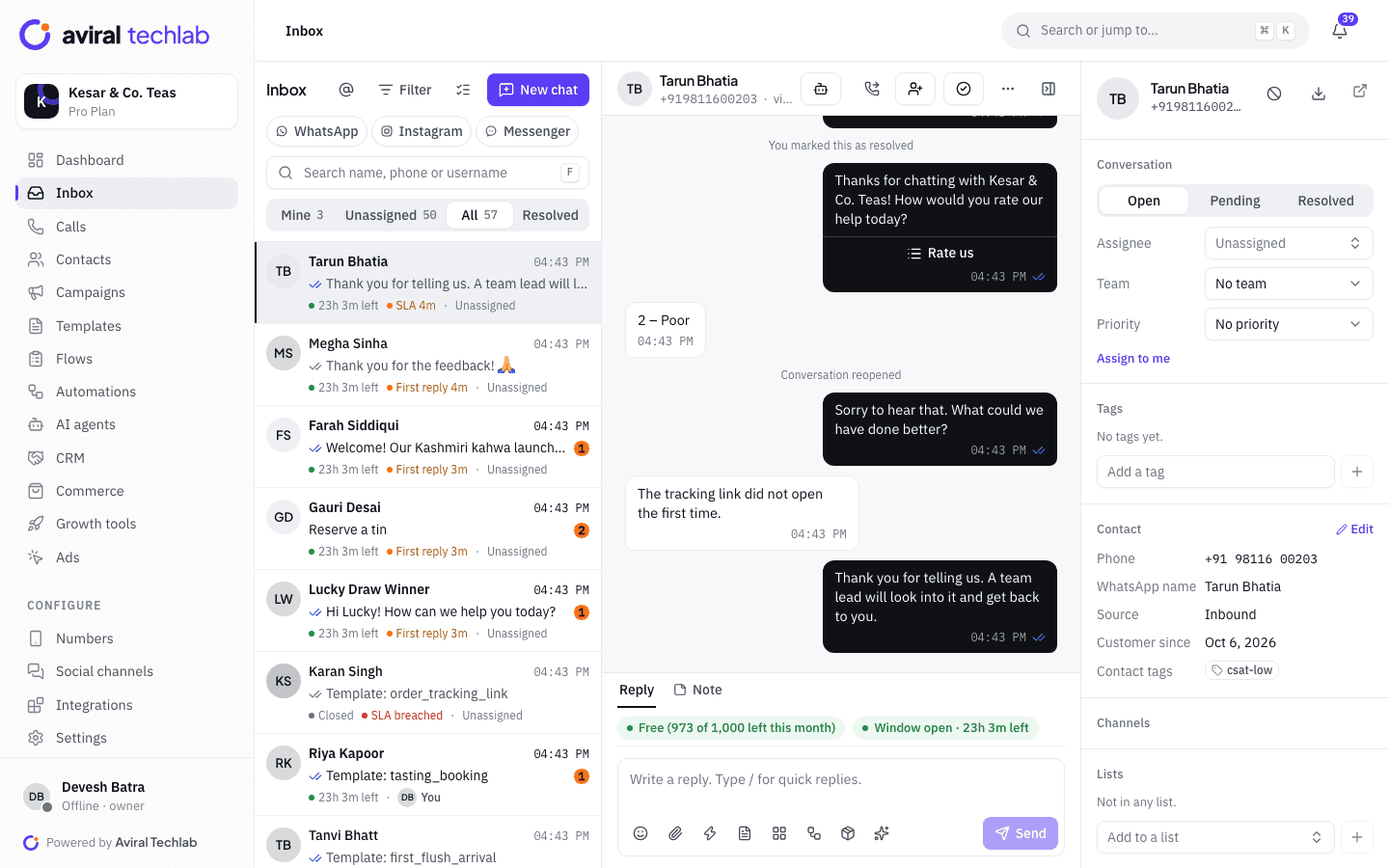
Assignment rules route new chats by keyword, tag or number, with round-robin, load-balanced, sticky or fixed assignment and an option to include only agents who are online. Sticky assignment keeps a customer with the rep who served them last. Managers see Mine, Unassigned and All, and can transfer a chat with a note.
- Round-robin, load-balanced, sticky or fixed assignment
- Separate numbers and teams for branches or reps
- First-response timers visible on every chat
Pipeline and follow-ups
Let automations handle the chasing
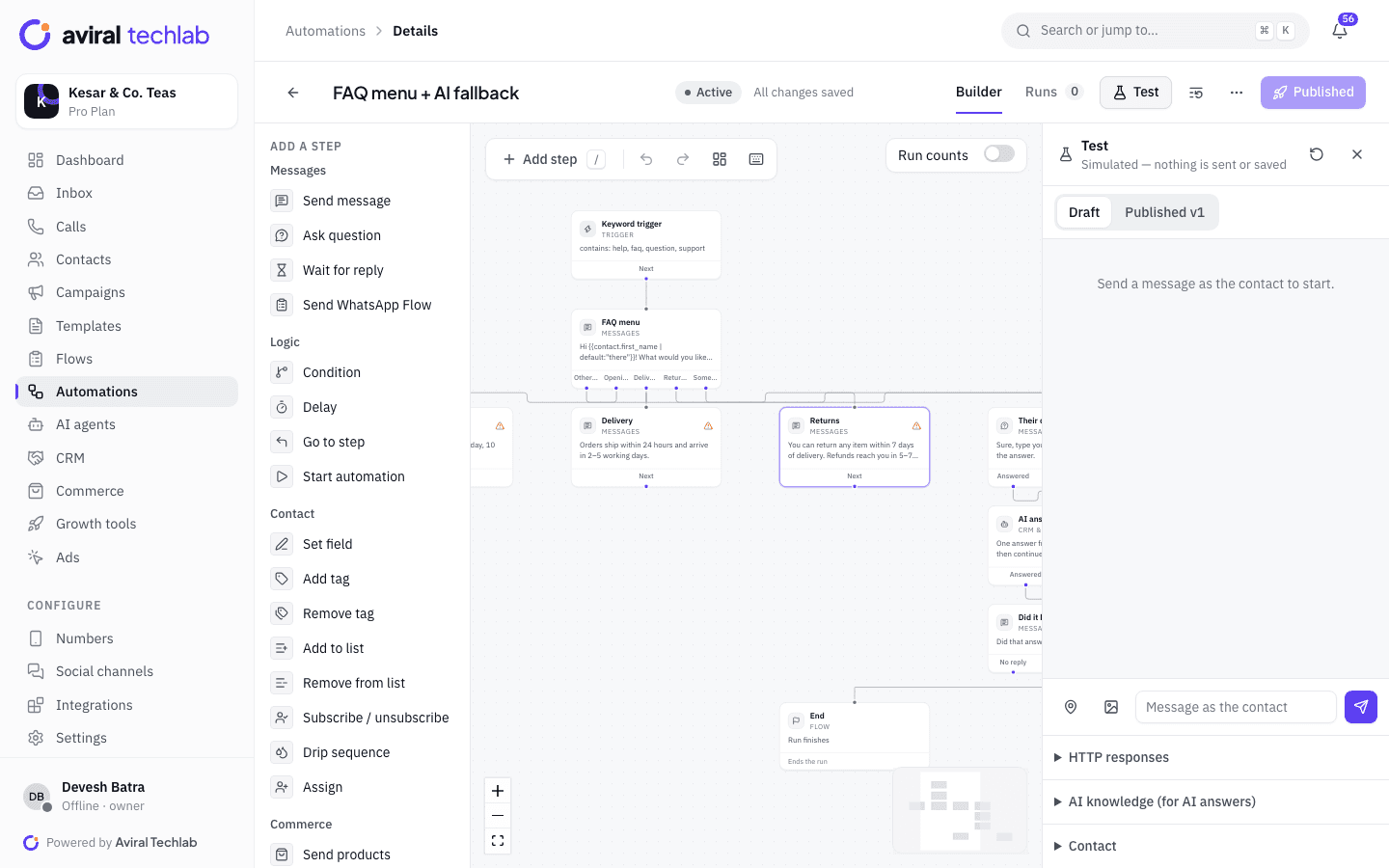
Deals sit in pipeline stages with value, owner, tasks and notes. A stage change can start an automation, and an automation can create a deal, move it or create a task for the rep. Schedule a message to go later, or enrol quiet leads in a drip that stops when they reply. Test any flow in the simulator before it reaches a customer.
- Stage changes, deal won and deal lost can start automations
- Tasks with due dates and reminders for reps
- Drips with delays, sending windows and exit on reply
Quotes and payments
Send the quote and collect the advance in the chat
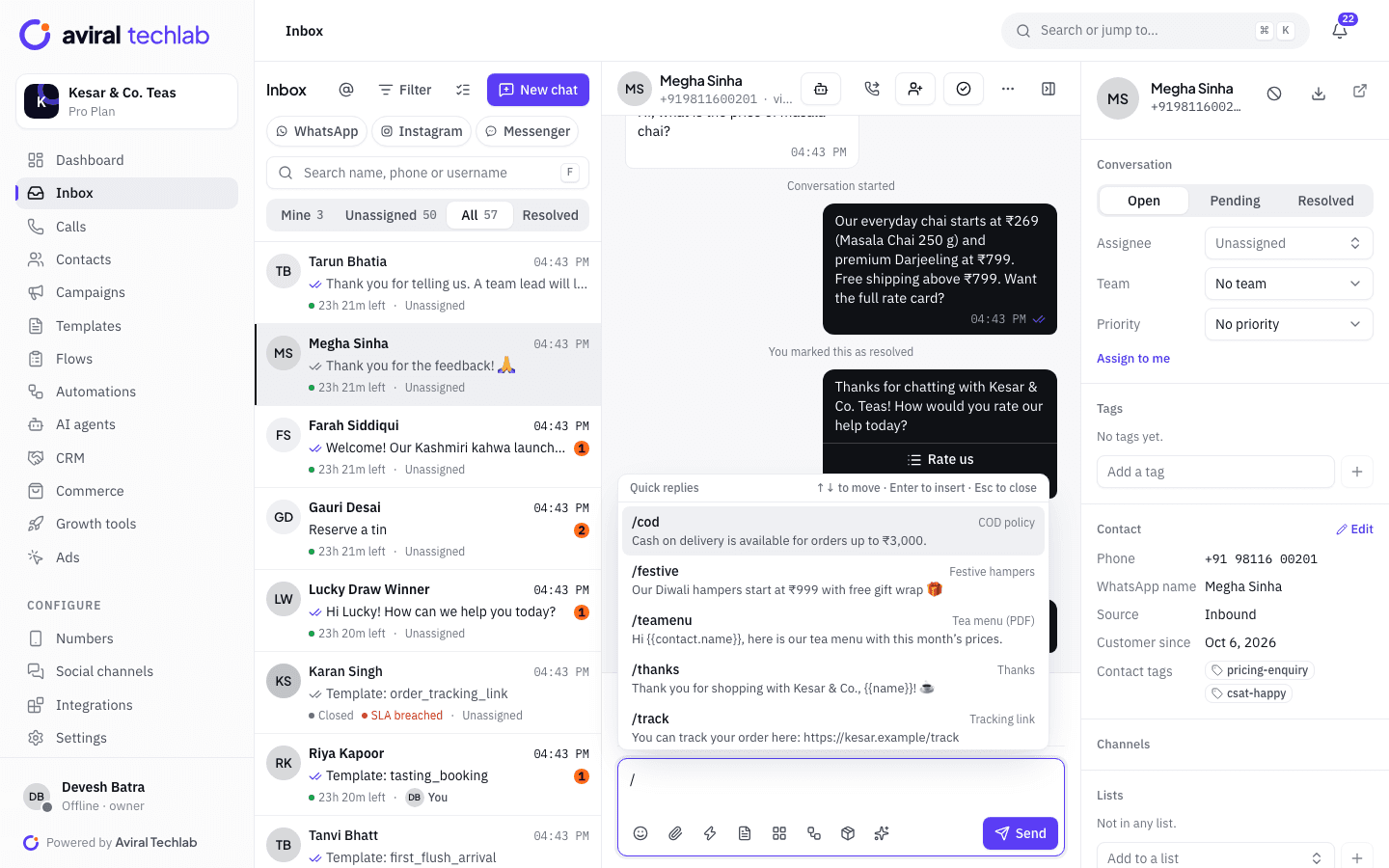
Reps attach quotation PDFs and product sheets to the chat and use saved replies for the answers they give every day. For advances and part payments, create a payment link for any amount up to what is owed through your own Razorpay or PayU account. If you use Zoho Books or Tally, send invoices and outstanding-payment reminders on WhatsApp from the integration.
- Saved replies with variables, including documents
- Payment links with an expiry and reminders
- Zoho Books and Tally invoices sent on WhatsApp
A lead, from enquiry to closed deal
Each step happens in the same chat, so the history follows the lead from one rep to the next.
- 1
Lead arrives
An IndiaMART enquiry, ad click or website chat creates the contact and a deal. The welcome message and questions go out at once.
- 2
Qualify and quote
The lead is assigned to a rep, who sends the quotation, answers questions and records notes. A task is created for the next step.
- 3
Follow up and close
Reminders and drips keep the lead warm. The advance is paid through a link, and the deal moves to won or lost with a reason.
How sales teams use it
The same building blocks serve B2B, retail and field sales.
IndiaMART lead desks
Pull every enquiry in as a contact and a deal, send the welcome automatically, and route it by product or city.
Field sales with their own numbers
Give each rep or branch a number. Managers see everything, and each rep sees the chats assigned to them.
Dealer reorders and dues
Send outstanding-payment reminders from Tally or Zoho Books, and reorder prompts to a segment of dealers.
Demo and meeting booking
Let leads book a demo or a showroom visit from a WhatsApp Flow with live slots, and see every booking in one list.
Win back cold leads
Segment leads with no reply in 30 days, and send a short sequence that stops as soon as they answer.
Manager visibility
See first-reply and resolution times per rep, SLA breaches and conversations by status to spot where leads wait.
Frequently asked questions
Can each salesperson use their own number?
Yes. Each number is a separate channel, and you can add one per rep or branch within your plan’s limit. Managers see all chats through roles, and reps see the chats assigned to them or their team. With coexistence, a rep can keep using the WhatsApp Business app on the same number.
Does it connect to my CRM?
It has its own CRM with contacts, deals, tasks and pipelines. Zoho CRM and HubSpot connect two-way, IndiaMART enquiries arrive as deals, and Google Sheets, Zapier, Make, n8n and the REST API cover the rest.
Can we send quotations from the platform?
Reps attach quotation PDFs to a chat like any file. If you use Zoho Books or Tally, you can send invoice PDFs and outstanding-payment reminders from the integration. There is no built-in quotation generator.
How do I make sure no lead is forgotten?
Every deal can have tasks with due dates and reminders, and the inbox shows first-reply timers. Set SLA targets with breach alerts, and use the agent report to see median first-reply times per rep.
Can reps message a lead who has not messaged us first?
Only with an approved template, and only if the lead agreed to hear from you on WhatsApp. Meta requires opt-in, so make sure your lead source records it. After the lead replies, a 24-hour window opens for ordinary messages.
Explore more
Put your sales desk on WhatsApp
Book a 20-minute walkthrough. We will connect your number and set up lead routing and your first follow-up flow with you.