For developers, brokers and channel partners
Answer every property enquiry at once and book the site visit
Capture leads from ads, your website and IndiaMART, send the brochure straight away, book site visits in the chat and follow up until the buyer decides.
Leads from every source
Click-to-WhatsApp ads, your website chat button, IndiaMART, Google Sheets, Zapier or Make. Each lead becomes a contact and a deal.
The brochure in seconds
An automation sends your brochure, price sheet and project video the moment a lead arrives, including at midnight.
Follow-ups that do not slip
Tasks and reminders on every deal, drip sequences for cold leads, and a pipeline that shows where each buyer stands.
From enquiry to site visit to booking
Buyers ask several developers at once, so the first useful reply matters. Each step below runs from the same chat.
Lead capture
Every lead in one pipeline, whatever the source
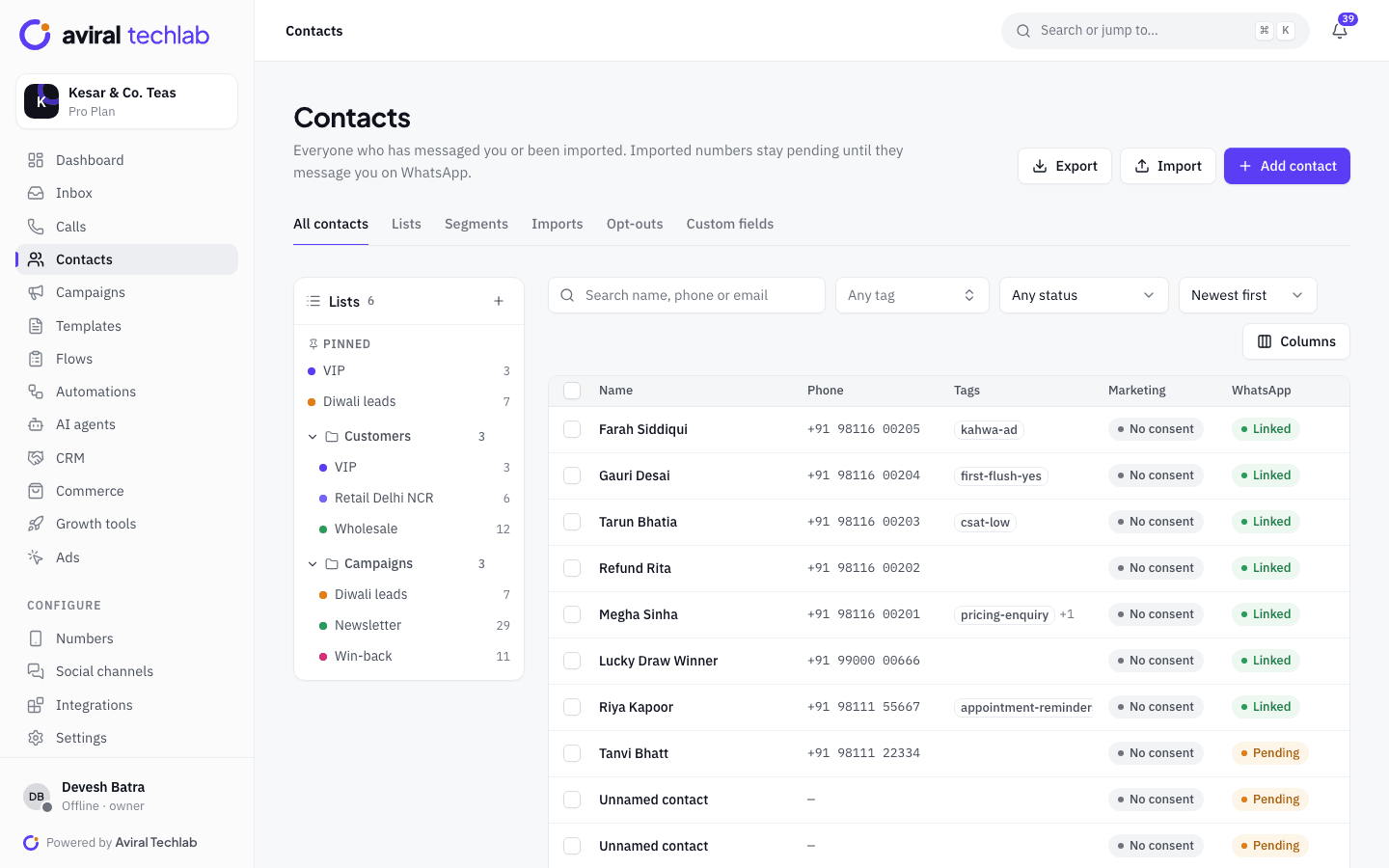
IndiaMART enquiries are pulled in as contacts and deals with an instant WhatsApp welcome. Leads from property portals and website forms can arrive through Zapier, Make, n8n, Google Sheets or the REST API. Chats that start from your ads are tagged with the ad that brought them.
- IndiaMART enquiries become contacts and deals automatically
- Duplicate contacts can be reviewed and merged, so one buyer is one record
- Source, ad and tags shown next to every chat
Instant qualification
Ask the three questions your advisor always asks
A qualification flow asks which home the buyer wants and their budget range, saves the answers on the contact, tags hot leads and assigns them to an advisor. Your advisor opens the chat knowing what the buyer wants, instead of starting with the same questions.
- Questions with buttons, so buyers answer with a tap
- Answers saved as contact fields and tags
- Hot leads assigned to a person or a team automatically
Site visits
Book the visit without a round of phone calls
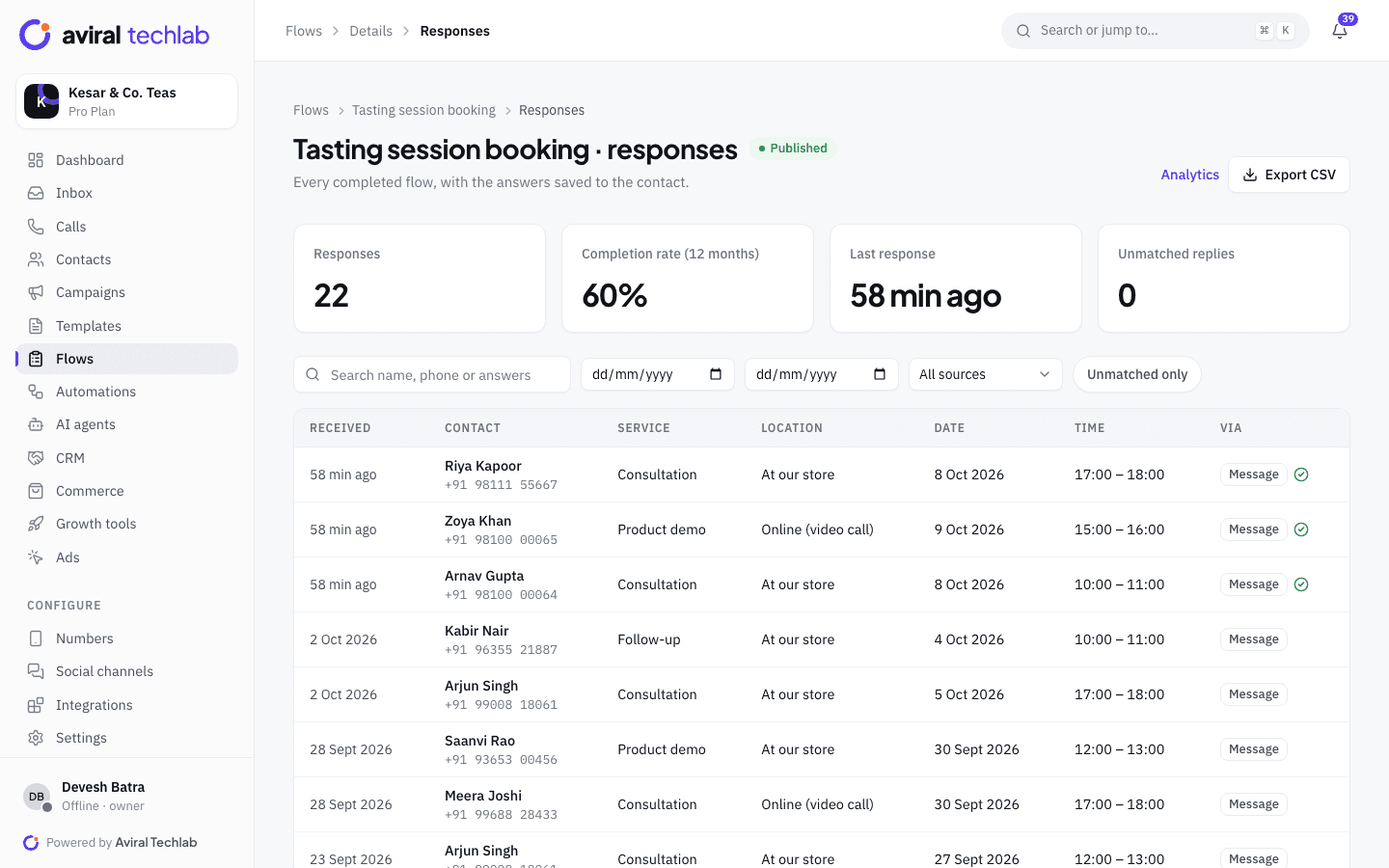
Buyers pick a day and time in a WhatsApp Flow that shows only the free slots, so two groups are never booked for the same time. Every booking is listed with the contact, and you can cancel one and message the buyer from the same screen. A callback form is there for buyers who prefer a call.
- Live slots that cannot be double-booked
- Booking list with the contact and answers
- Callback request form for buyers who would rather talk
Follow-up
Follow up on a schedule until the buyer decides
A drip sequence can send a project update or a new-launch offer after a few days, and stops the moment the buyer replies. Deals sit in a pipeline with tasks and reminders for the advisor, and an automation can move a deal or create a task when a buyer taps a button.
- Drips with delays, sending windows and exit on reply
- Pipeline stages, tasks and due-date reminders
- Lost reasons recorded when a deal is closed
A buyer’s path through your team
The same chat carries the buyer from first enquiry to the sales conversation.
- 1
Lead arrives
The enquiry comes from an ad, a portal or your site. The brochure goes out at once and the qualification questions follow.
- 2
Site visit booked
The buyer picks a free slot in the booking Flow. The advisor sees the booking, the answers and the chat history.
- 3
Follow-up to decision
The deal moves through your pipeline. Drips and tasks keep the conversation going until the buyer books or says no.
Where developers and brokers use WhatsApp
Pick the workflows that match how your sales desk works today.
New launch announcements
Send a template with the launch details to a segment of past enquiries, and see who read it and who replied.
Ad enquiries by project
Run separate welcome flows for different ads, so each project gets its own brochure and questions.
Channel partners and agents
Give each partner their own number or team, with roles that control which chats they can see.
Token and booking amounts
Send a payment link for a fixed amount, such as a token, through your own Razorpay or PayU account.
AI answers on project details
An AI agent answers questions about location, amenities and configurations from your brochure, and hands the chat to an advisor when it is unsure.
Documents and feedback
Share documents in the chat, and collect post-visit feedback with a short WhatsApp Flow.
Frequently asked questions
Can I capture leads from property portals?
IndiaMART has a direct connector that turns every enquiry into a contact and a deal. For other portals and forms, send the lead through Zapier, Make, n8n, Google Sheets or the REST API, and use the same welcome and qualification flows.
Can I send a brochure or price sheet automatically?
Yes. An automation can send documents, images and videos as soon as a lead messages you, including outside office hours. If the lead has not messaged you yet, the first message must be an approved template, and the person must have opted in.
Can two sales advisors get the same lead by mistake?
Each chat has one assignee, and the inbox shows when a teammate is also viewing the same chat. Duplicate contacts can be merged so one buyer is one record.
Can channel partners use their own numbers?
Yes. Add a number for each partner within your plan’s number limit, and use teams and roles so each partner sees only their own chats.
Is the buyer’s phone number shared with everyone on the team?
Chat visibility follows roles. You can limit agents to the chats assigned to them or their team, and every change to roles and settings is recorded in the audit log.
Explore more
- CRM and sales pipelineLeads, deals and follow-ups
- WhatsApp FlowsForms and bookings inside the chat
- Click-to-WhatsApp adsTurn ad clicks into conversations
- IntegrationsShopify, Zoho, Tally, HubSpot and more
- Broadcasts and campaignsSend templates to the right segment
- Team inboxEvery chat in one shared inbox
Put your next launch on WhatsApp
Book a 20-minute walkthrough. We will connect your number and set up the brochure, qualification and site-visit flow with you.